Amazon — AtoZ — Thrive Overhaul and Success Profiles Integration
Leadership development and performance management platform overhaul, replacing outdated frameworks with research-backed success profiles, AI writing assistance, and streamlined 1:1 prep.
Context: Thrive is Amazon's leadership development and performance management platform designed to facilitate strong partnerships between managers and employees through two-way, bi-directional growth conversations. It provides a framework for creating development plans, tracking performance, and supporting career progression.
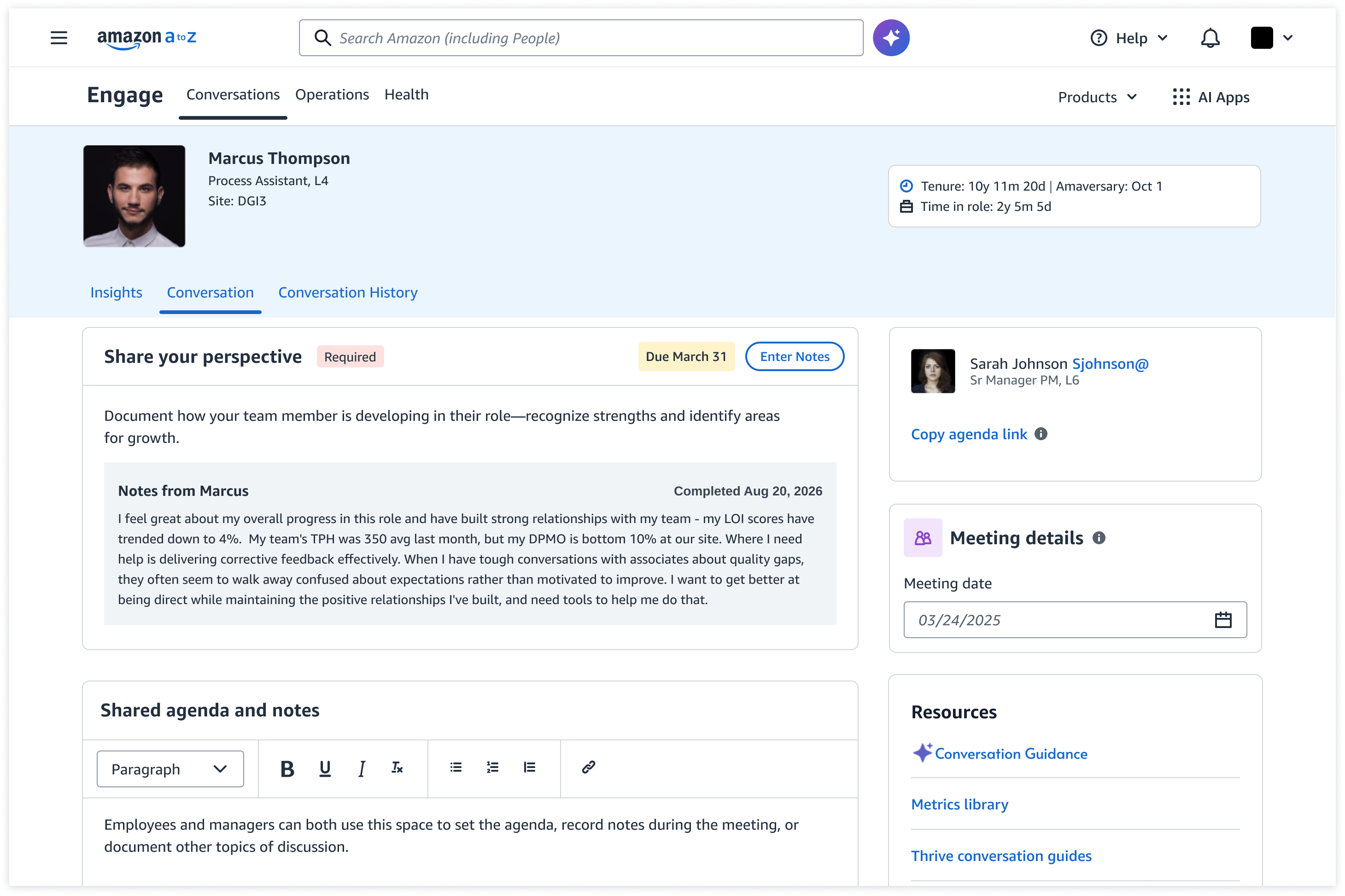
Problem Statement: Users struggled with conversation prep, spending ~40 minutes per direct report. The outdated WWOps Leadership Framework saw negligible usage (0.29 times/user/month), 40.5% of employees cited lacking clarity on expectations, and 68% of users disliked the live shared notes where thoughts were visible while being written.
The Ask: 1) Replace the outdated Ops Leadership Framework with research-backed success profiles. 2) Reduce manager prep time from the current ~40 minutes per direct report. 3) Connect development conversations directly to career progression and skill growth.
User Research: As lead UX designer and researcher, conducted user interviews and examined quantitative site telemetry and CSAT scores across 1,584 users to uncover systemic friction across prep, capability scoring, feedback sharing, and action item tracking.
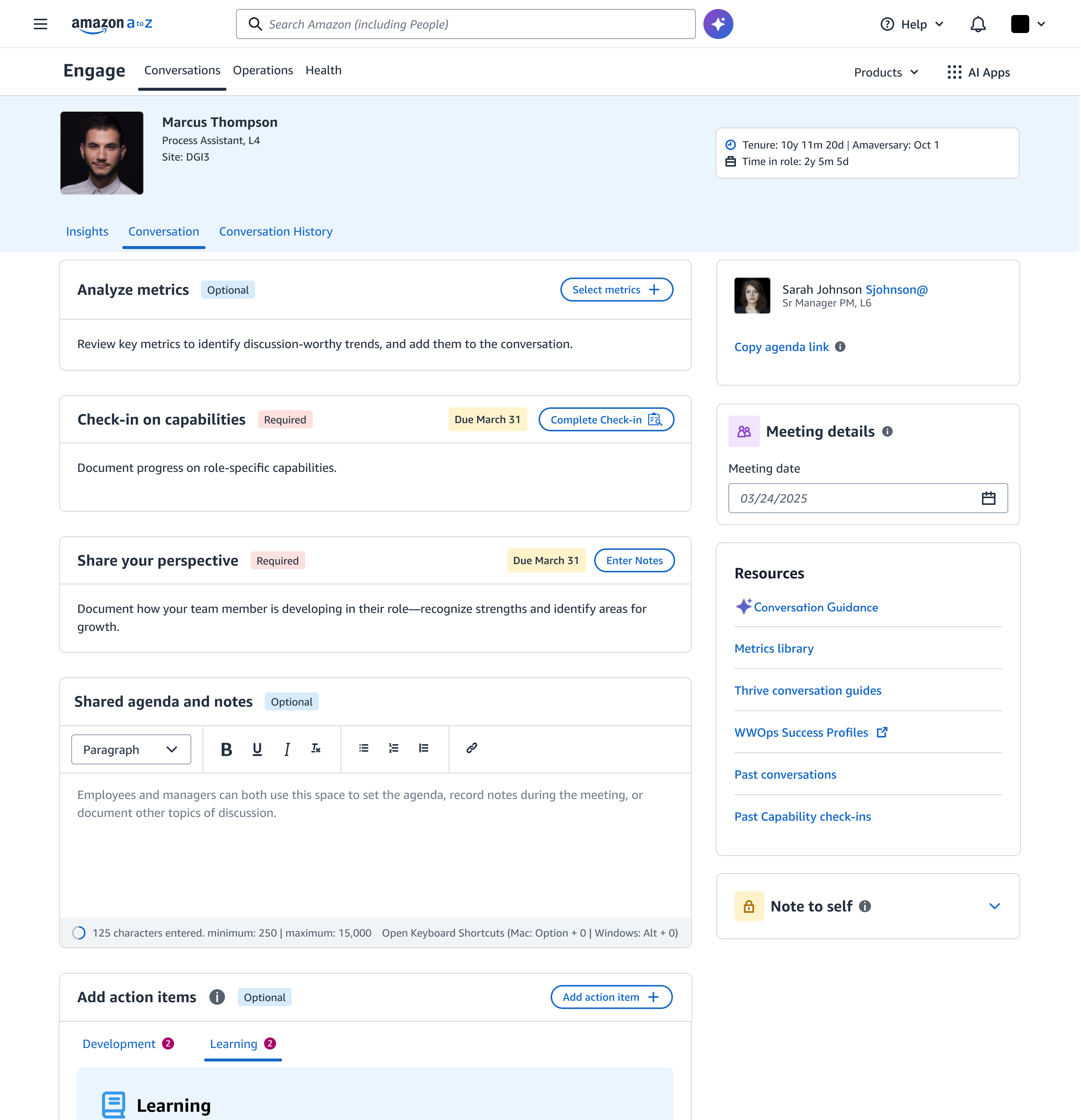
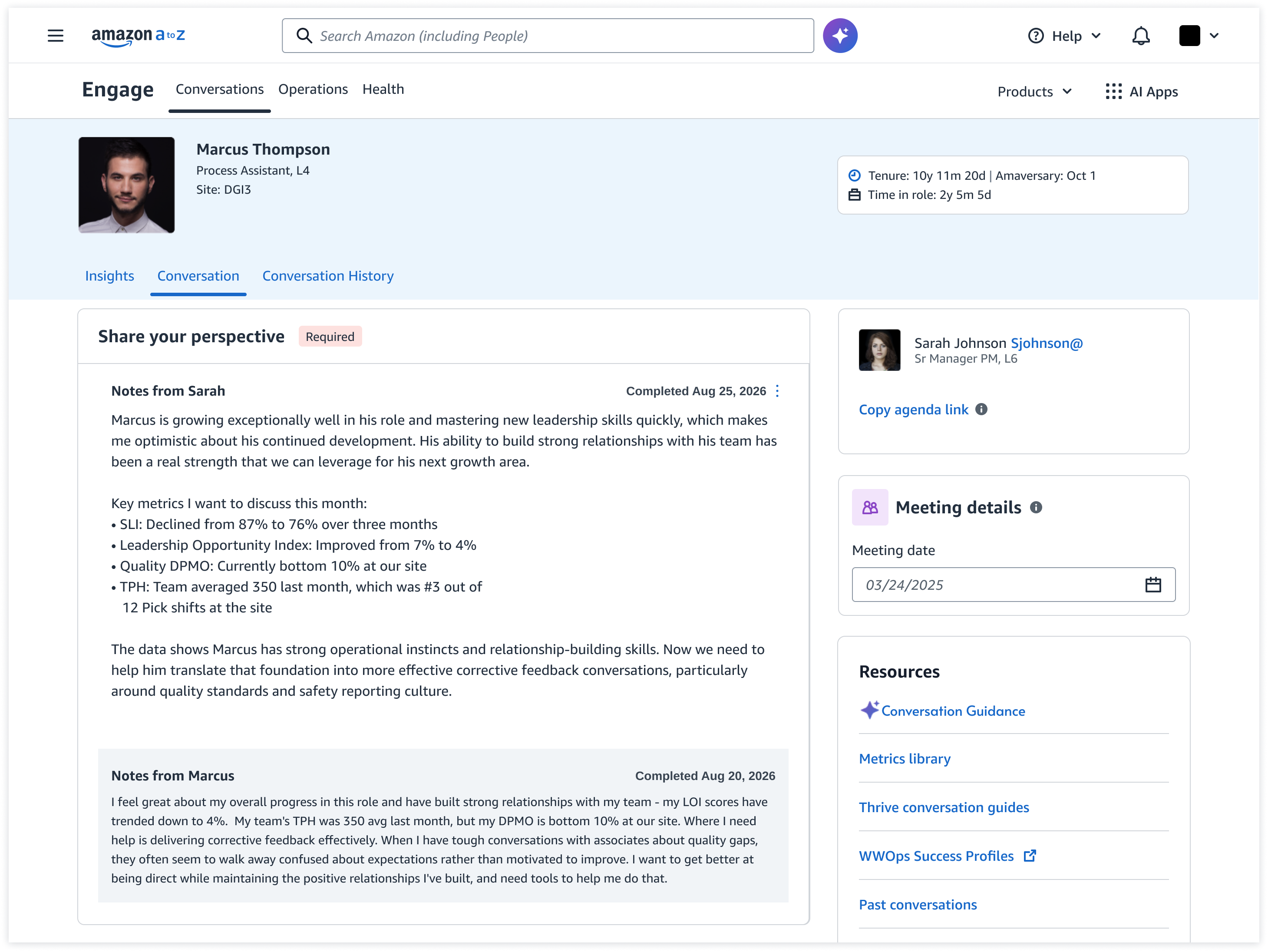
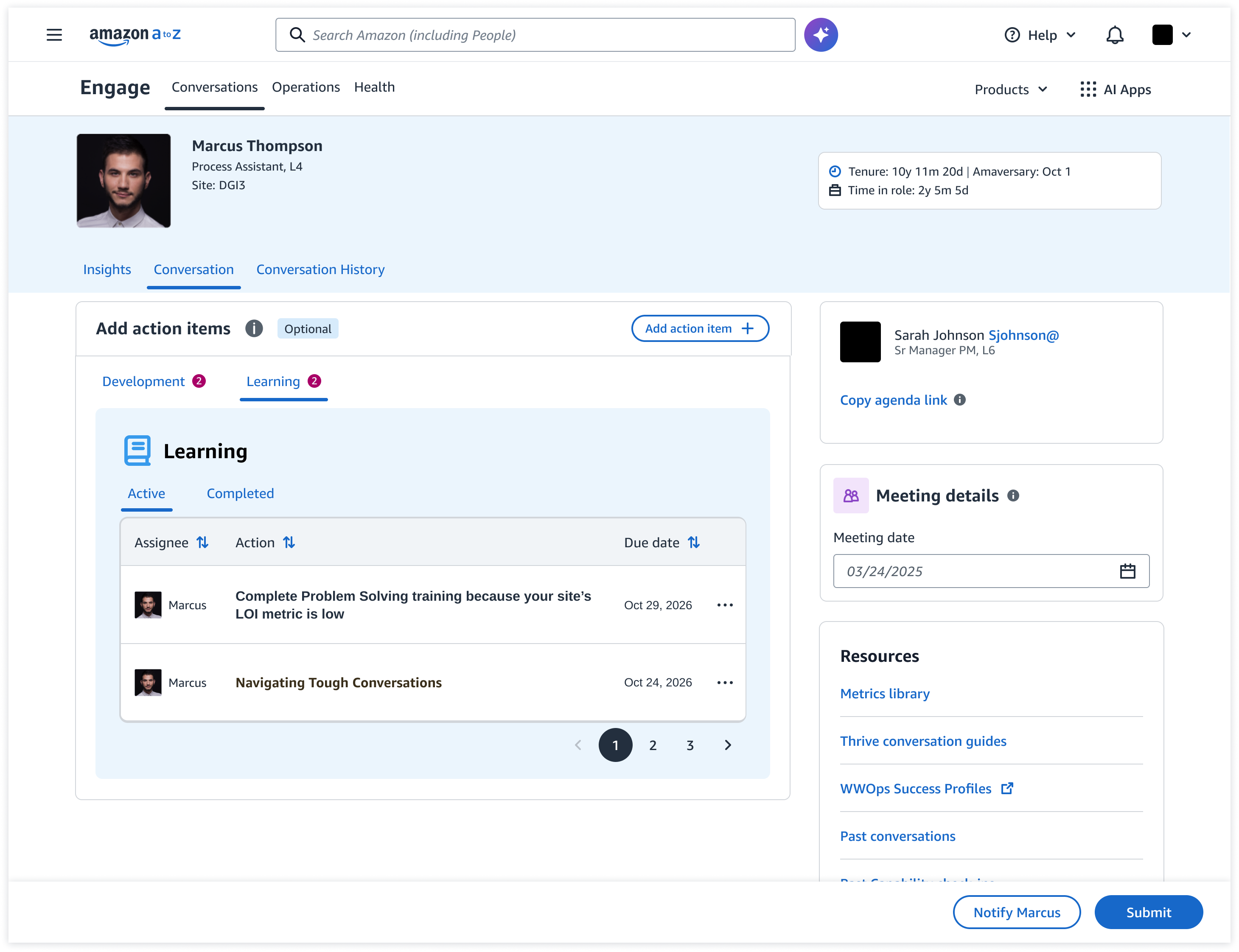
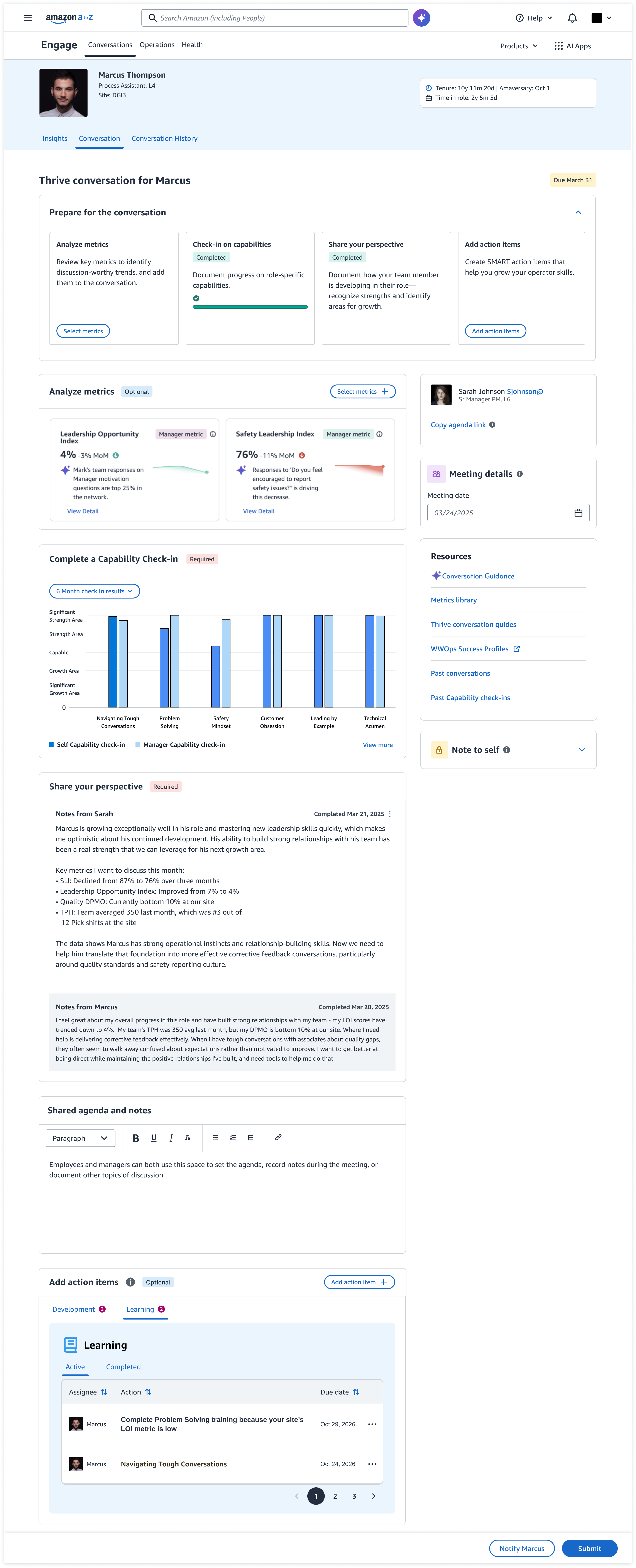
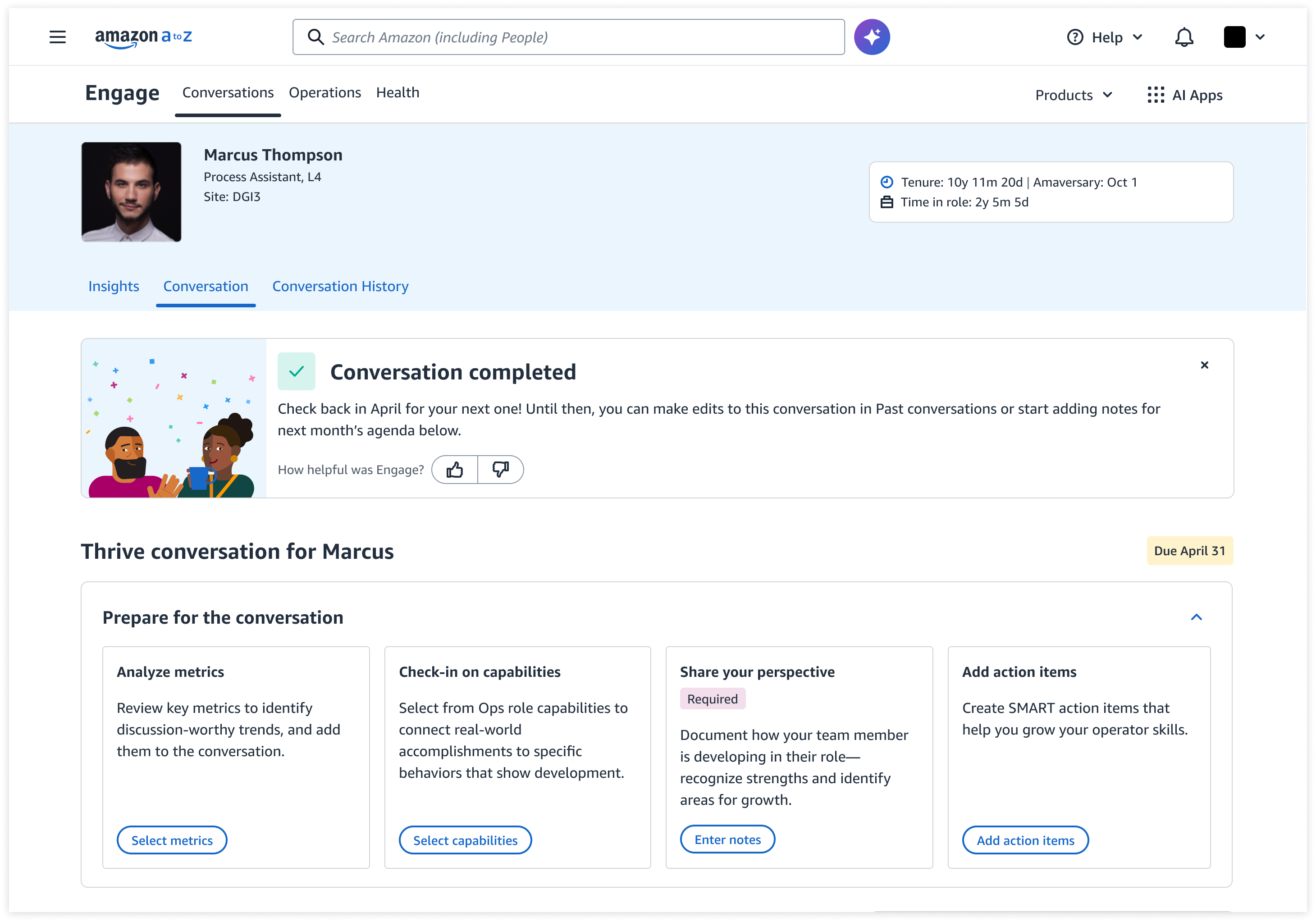
UX Design: Implemented a stepped 4-stage conversation workflow (Review Metrics → Complete Assessment → Document Notes → Add Action Items). Integrated AI conversation prep guidance and metrics summaries, structured capability assessments into progressive growth phases with dual manager/employee comparison graphs, designed a private flyout with AI writing assistance for Shared Perspectives, and created categorized action items tied to leadership principles.
- Manager Prep Time: Reduced from ~40 mins to ~12 mins
- CSAT Satisfaction: Rose from 3.48 to 4.8 / 5.0 (n=1,789)
- Metric Data Usage: Increased from 59% to 78%
- Action Item Usage: Doubled from 34% to 66%
- Success Profiles: Fully integrated GOLD research framework
Transformed high-friction administrative overhead into an empowering, AI-assisted career development experience.
Key Walkthrough Highlights & Interaction Architecture
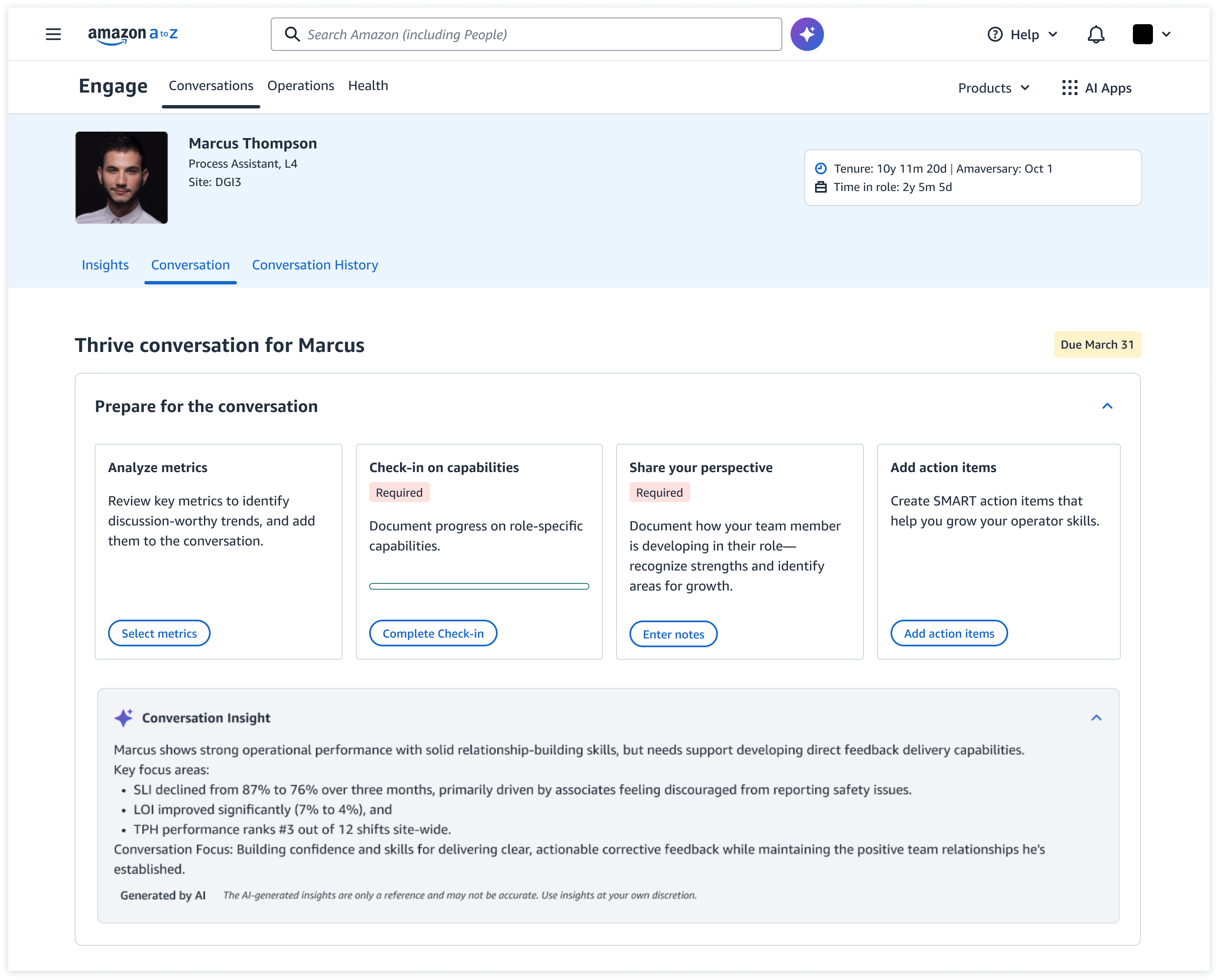
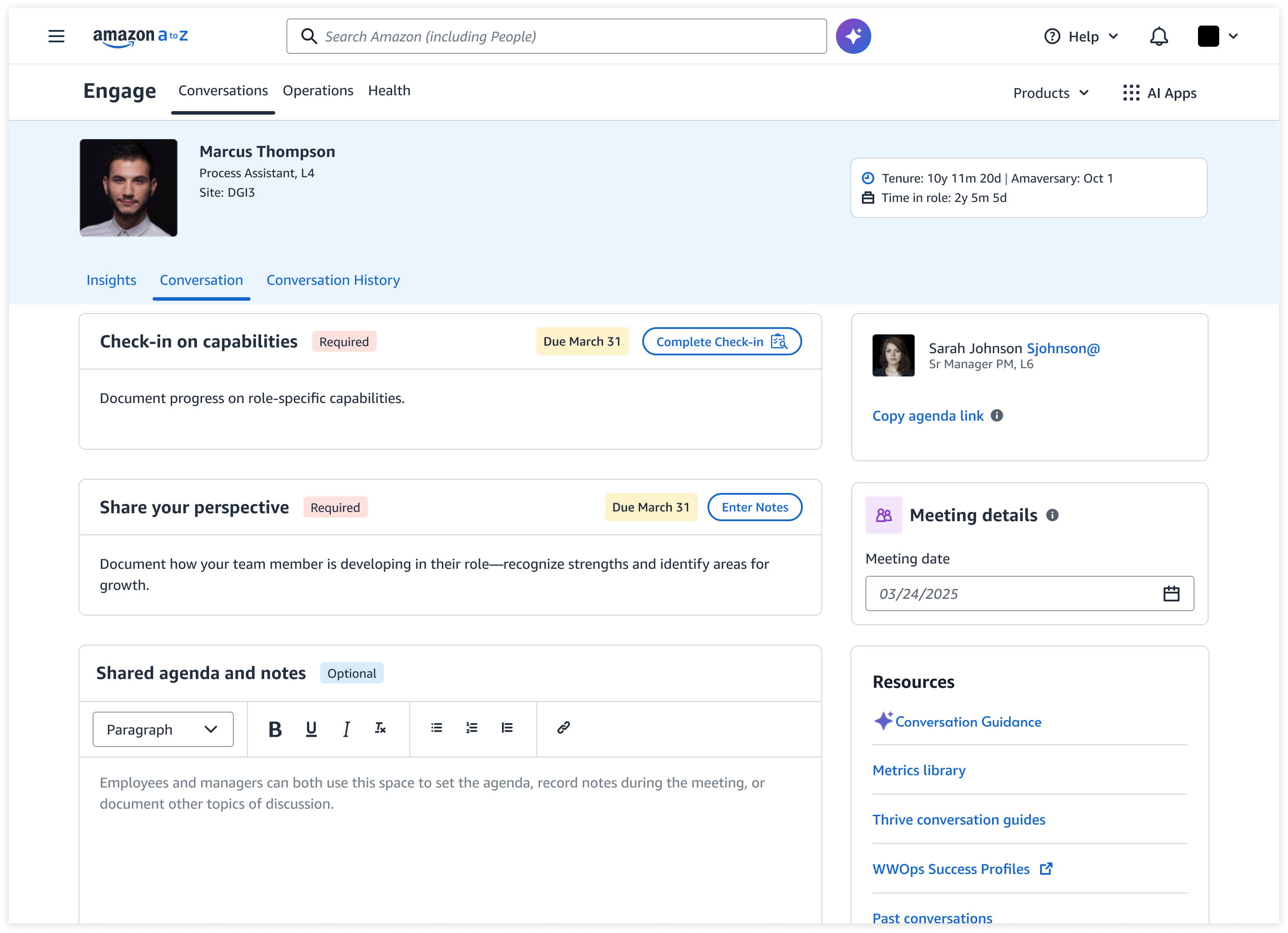
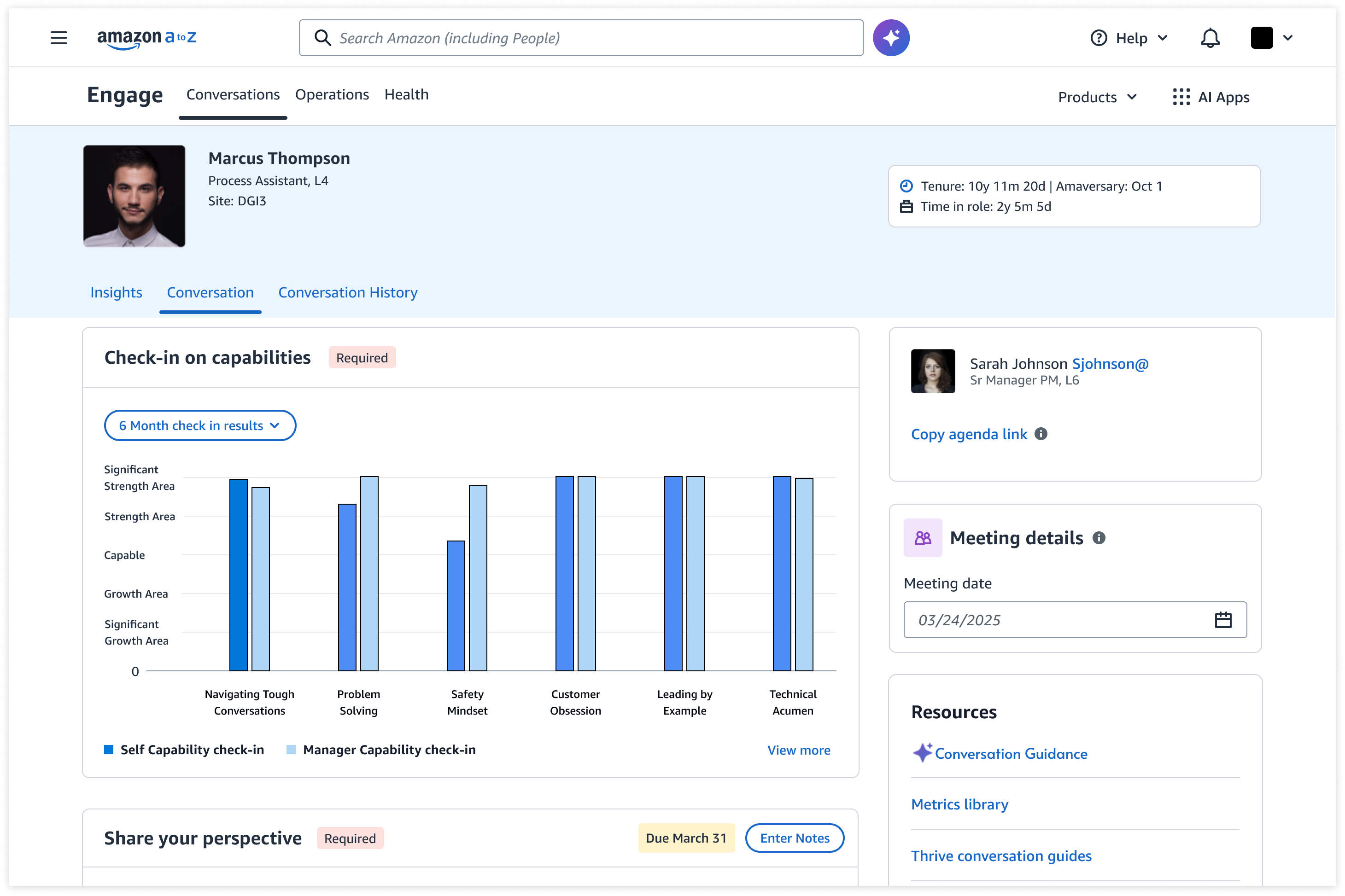
Intelligent Conversation Prep Dashboard
Integrated AI talking points, status indicators, and a stepped 4-stage workflow to replace unstructured preparation, driving down manager prep time from 40 to 12 minutes.
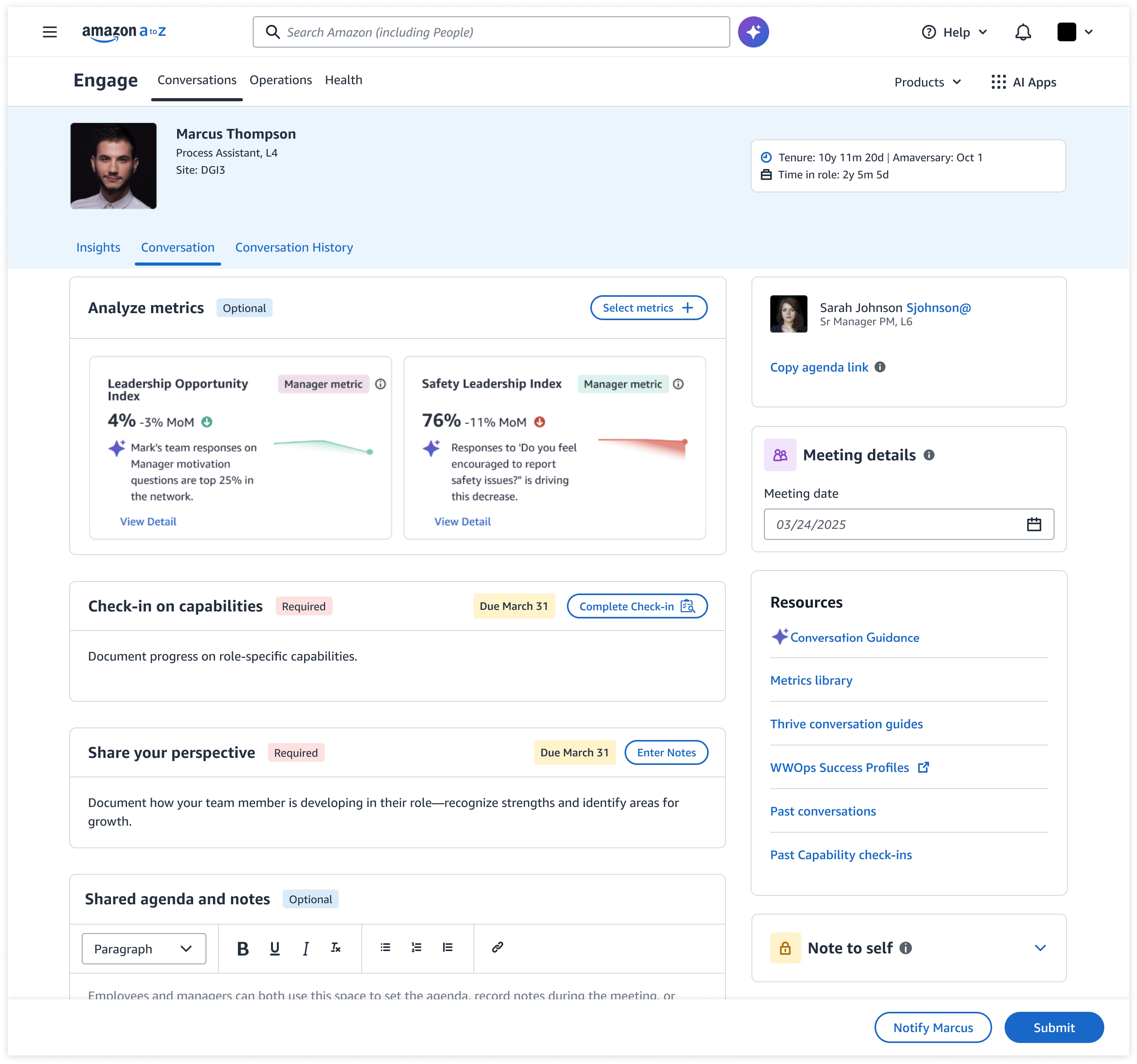
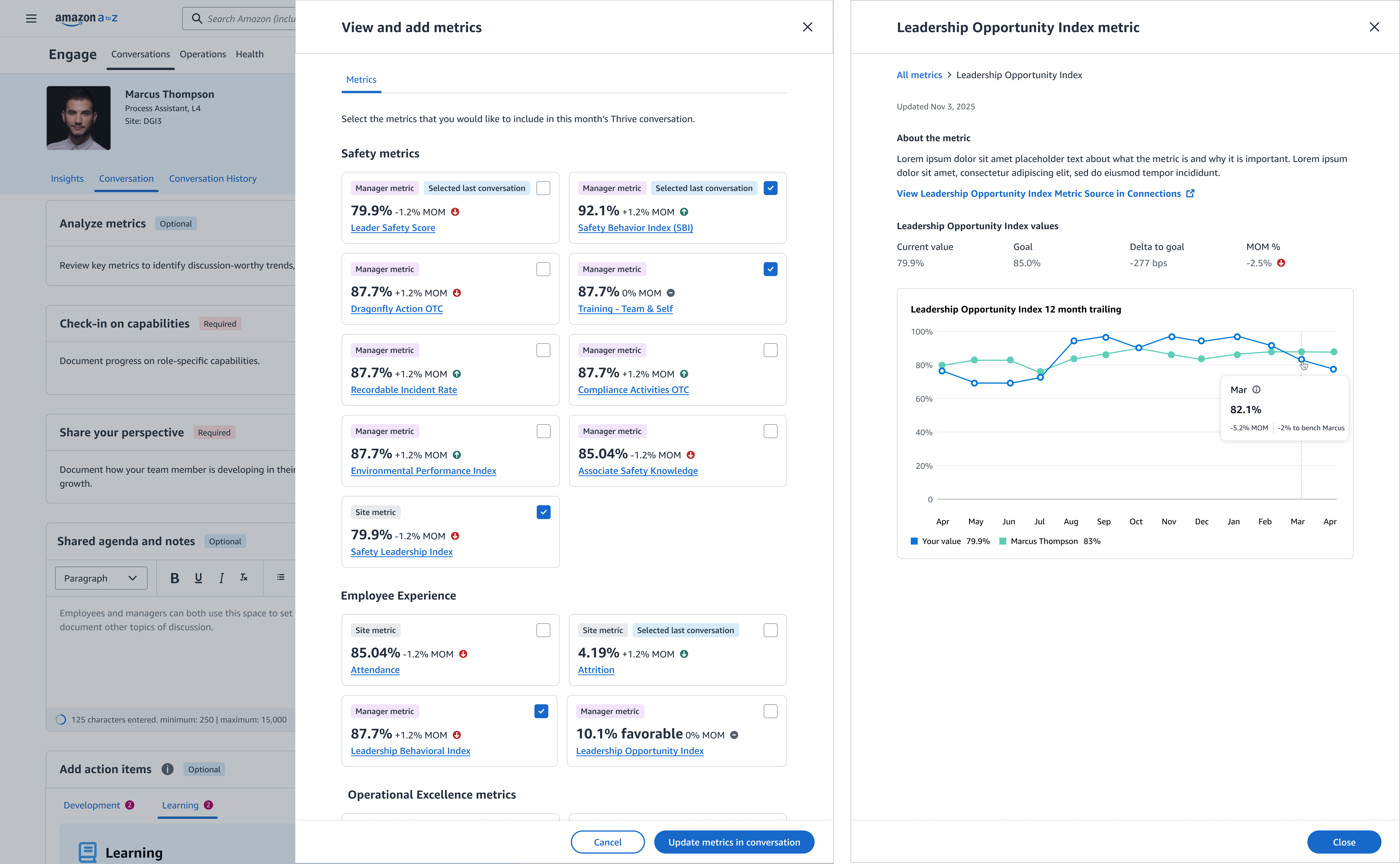
Curated Metrics with AI Contextual Summaries
Contextual metrics cards displaying month-over-month variances, network percentiles, and AI-generated coaching context, lifting active metric usage from 59% to 78%.
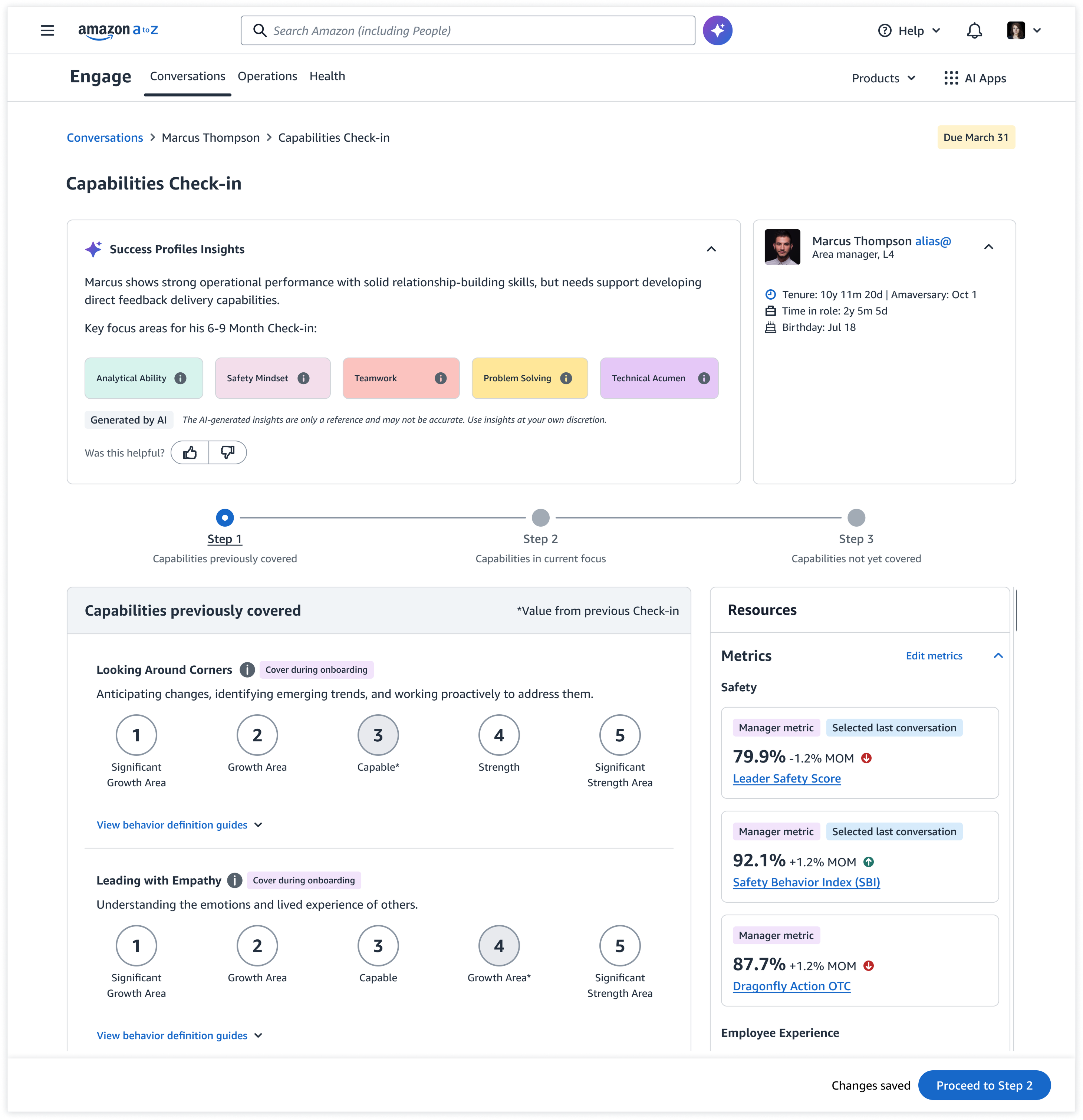
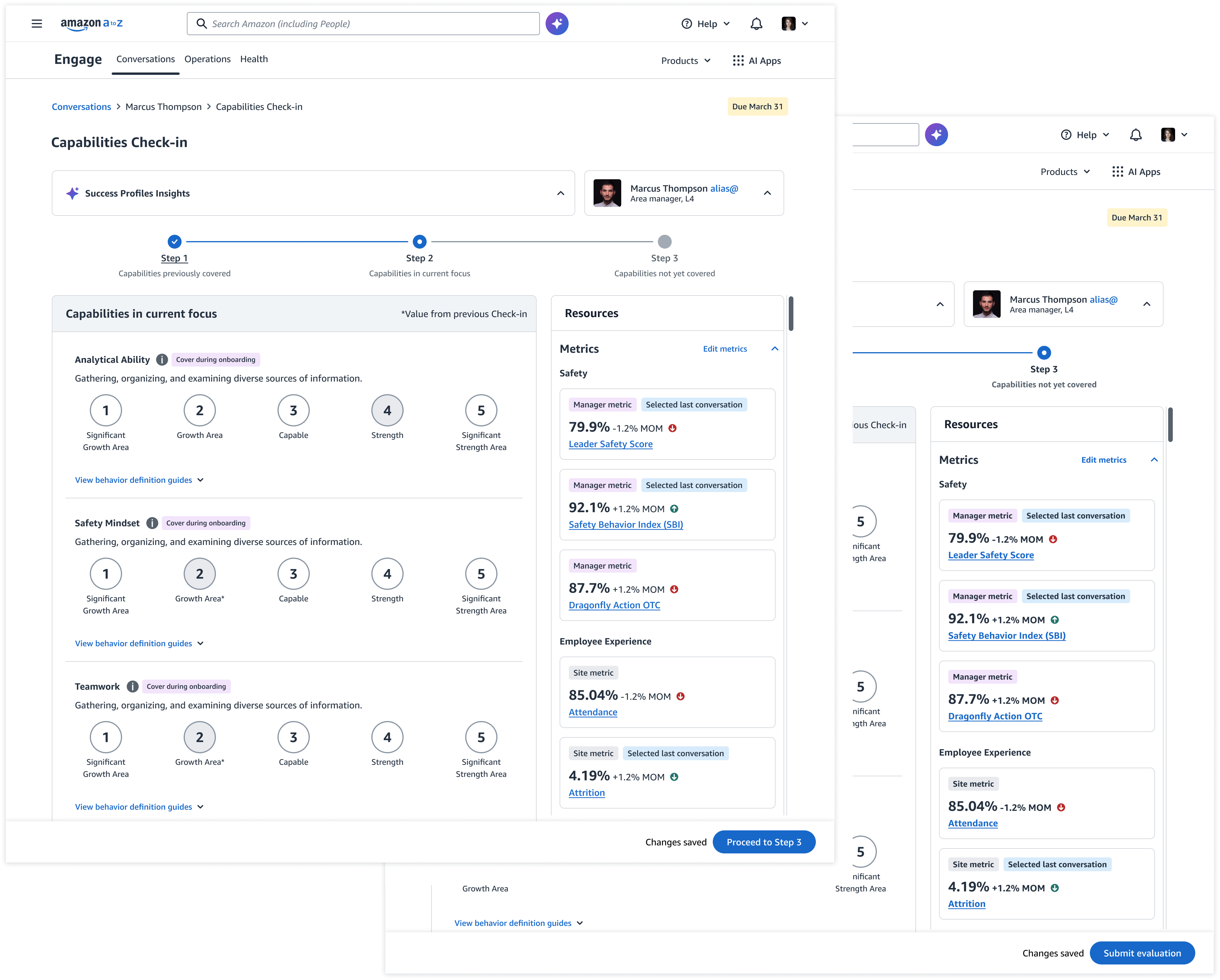
Progressive Capability Scoring Journey
Dedicated sub-page breaking complex capabilities into progressive growth phases (Previously Covered, Current Focus, Not Yet Covered) with persistent progress navigation.
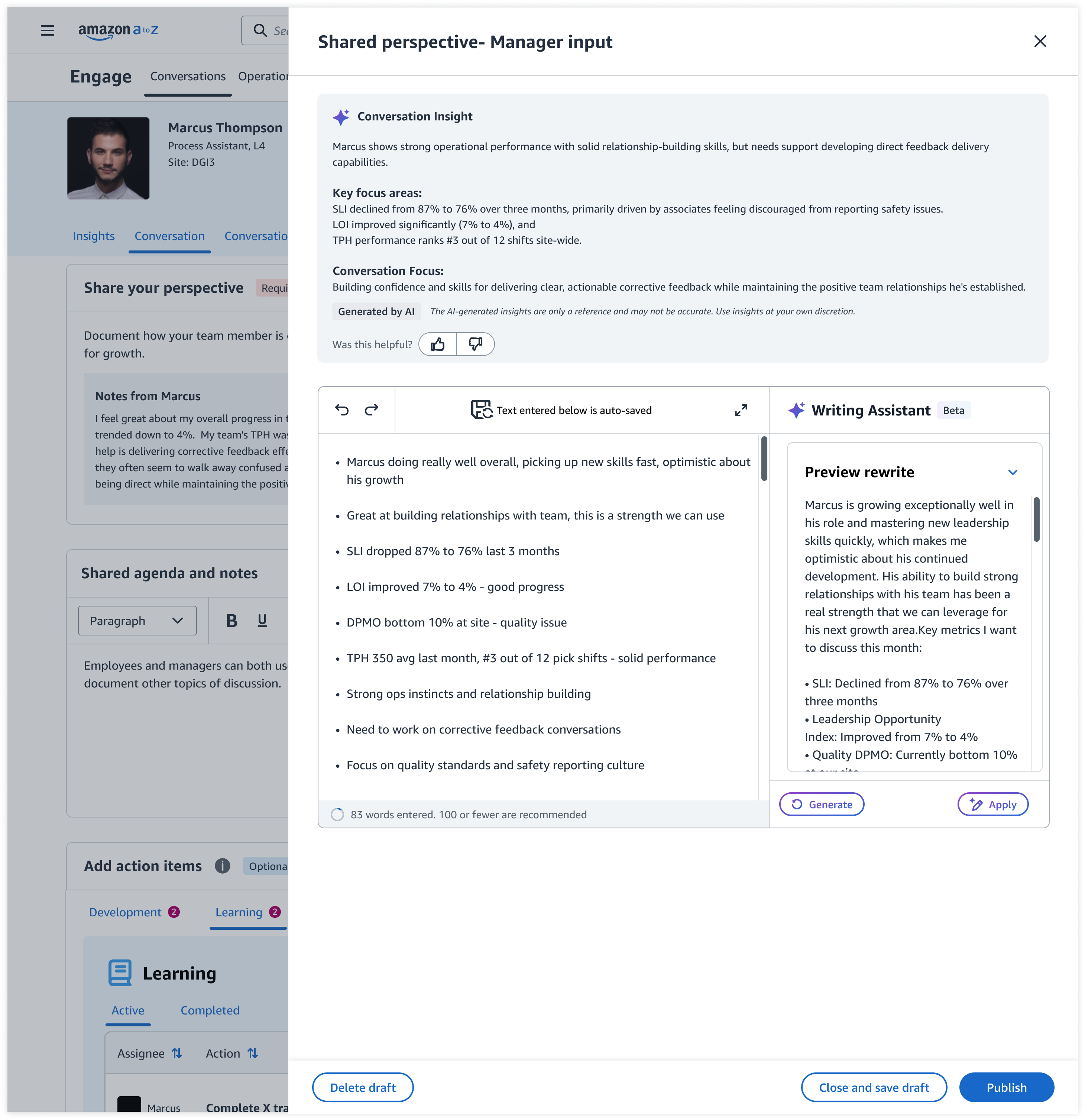
Private Drafting Flyout with AI Writing Assistant
Replaced awkward live-synced collaborative typing with private draft spaces and AI feedback summarization, fostering authentic dialogue and driving CSAT from 3.48 to 4.8 / 5.0.
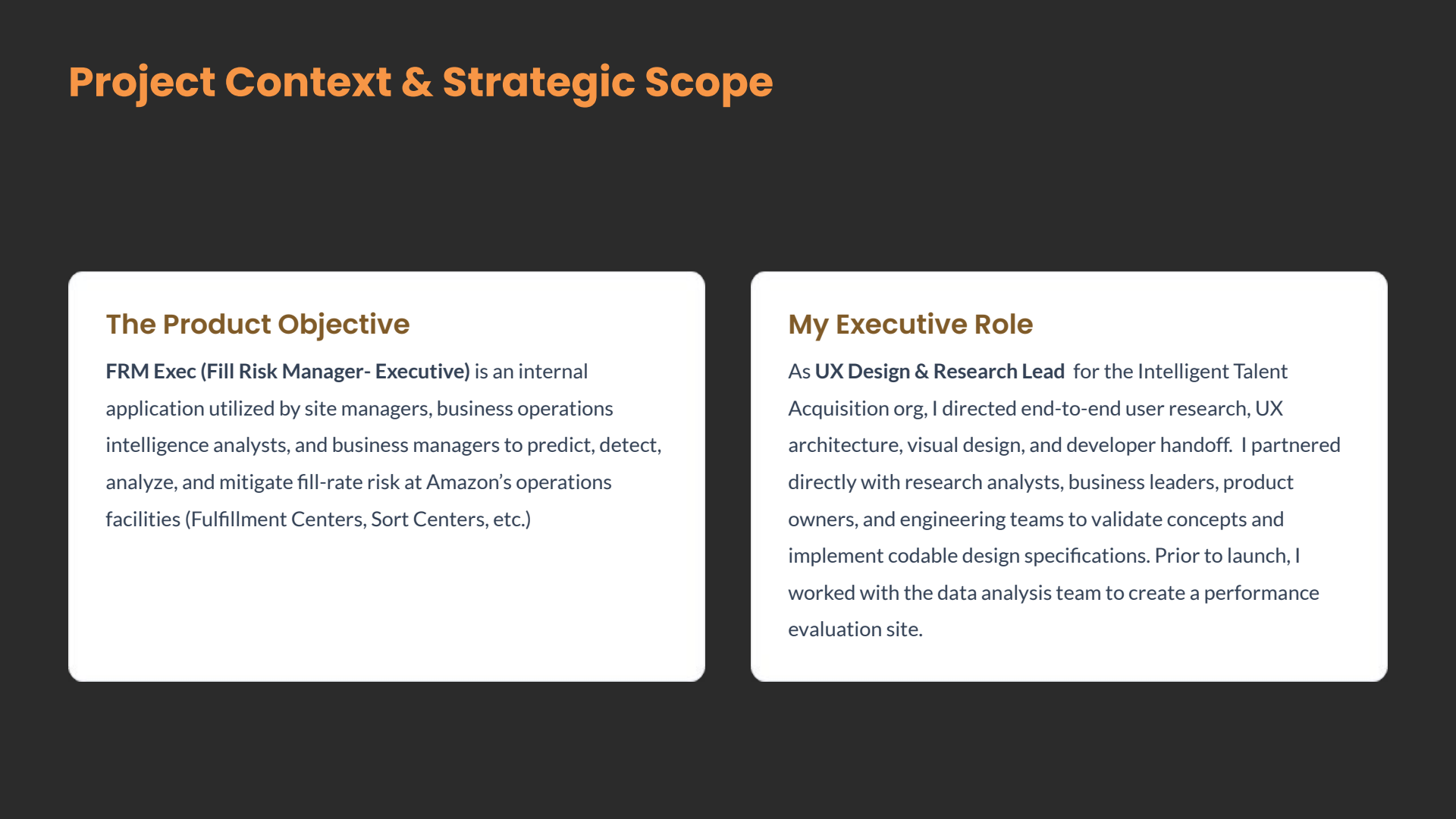
Amazon — ITA — Fill Risk Manager - Executive (FRM Exec)
Application user research and end-to-end UX architecture for Amazon's premier associate fill risk mitigation tool.
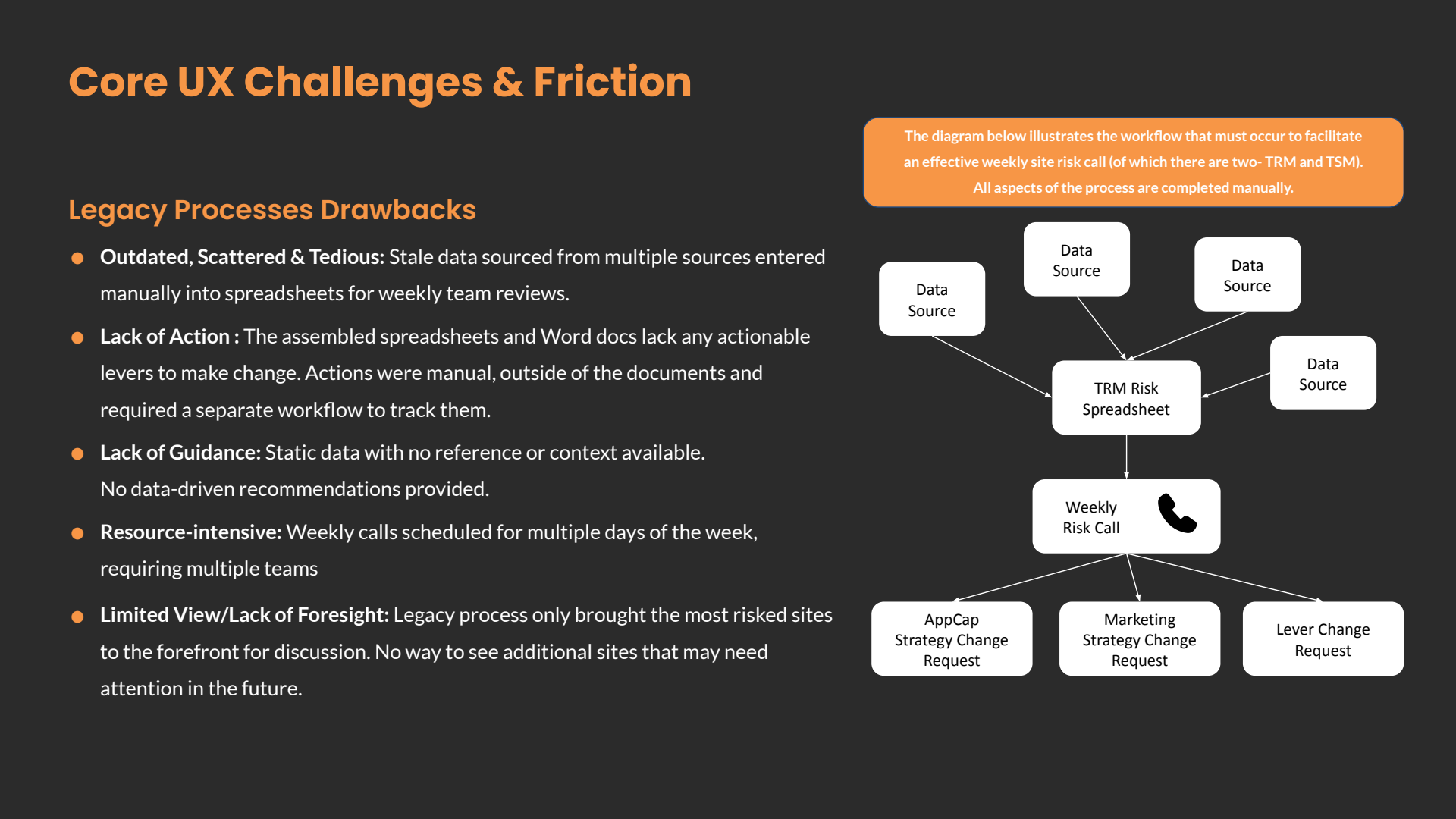
Site managers and operations planners spent hours manually aggregating stale data across disconnected spreadsheets to identify labor fill risks, creating high cognitive load and delayed remediations.
Designed a stepped 3-stage architecture: Step 1 (Identify aggregated risk metrics), Step 2 (Diagnose root causes and strategy variances), and Step 3 (Mitigate directly via in-app Strategy and Lever Change Requests).
Eliminated manual spreadsheet churn, achieved 100% stakeholder alignment through interactive prototyping loops, and dramatically accelerated weekly staffing review calls across Amazon fulfillment centers.
Key Walkthrough Highlights & Interaction Architecture
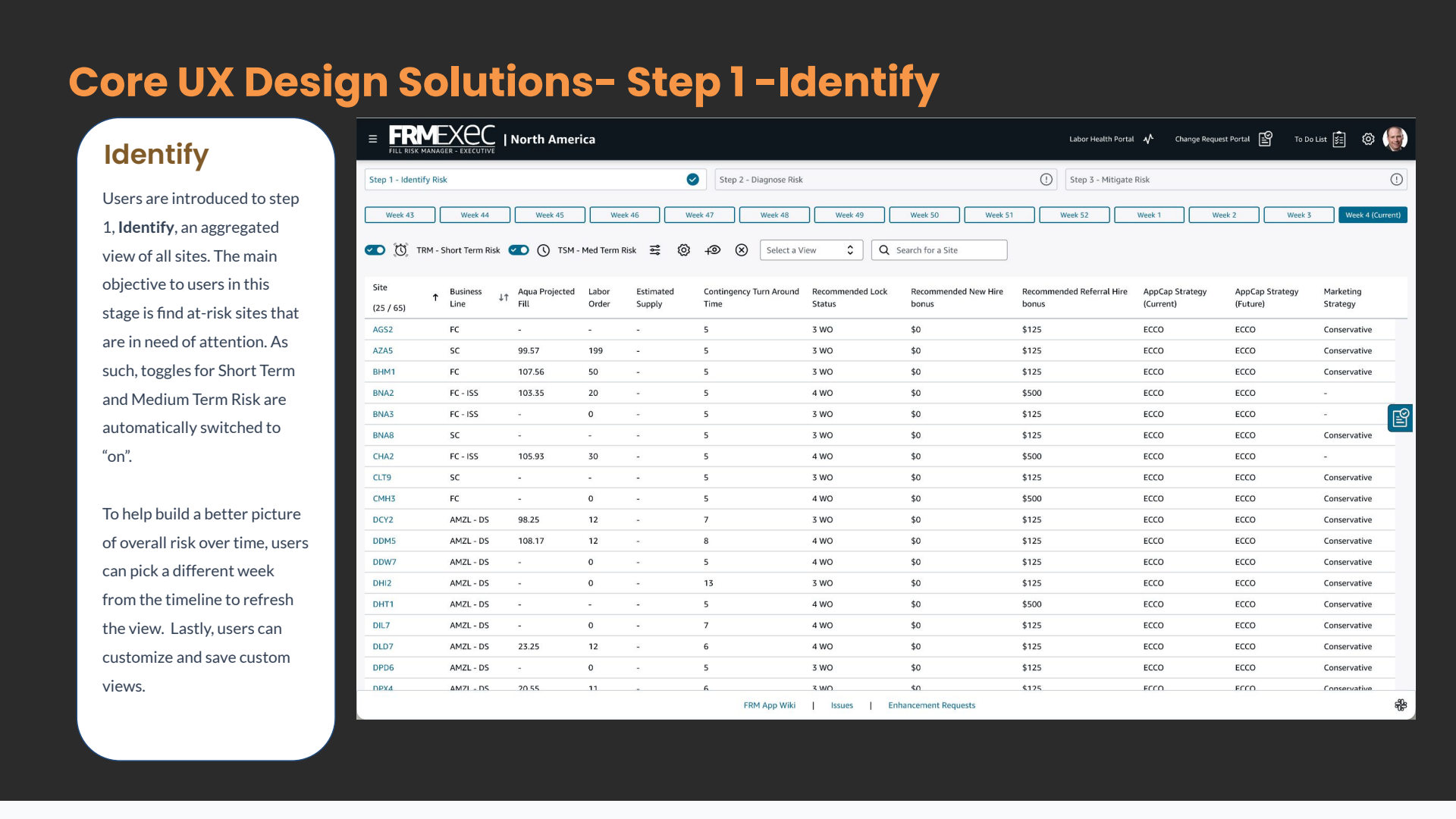
Aggregated Labor Demand & Facility Flagging
Consolidated staffing analytics replacing manual multi-spreadsheet tracking, automatically flagging fulfillment centers at short- and medium-term risk with custom timeline views.
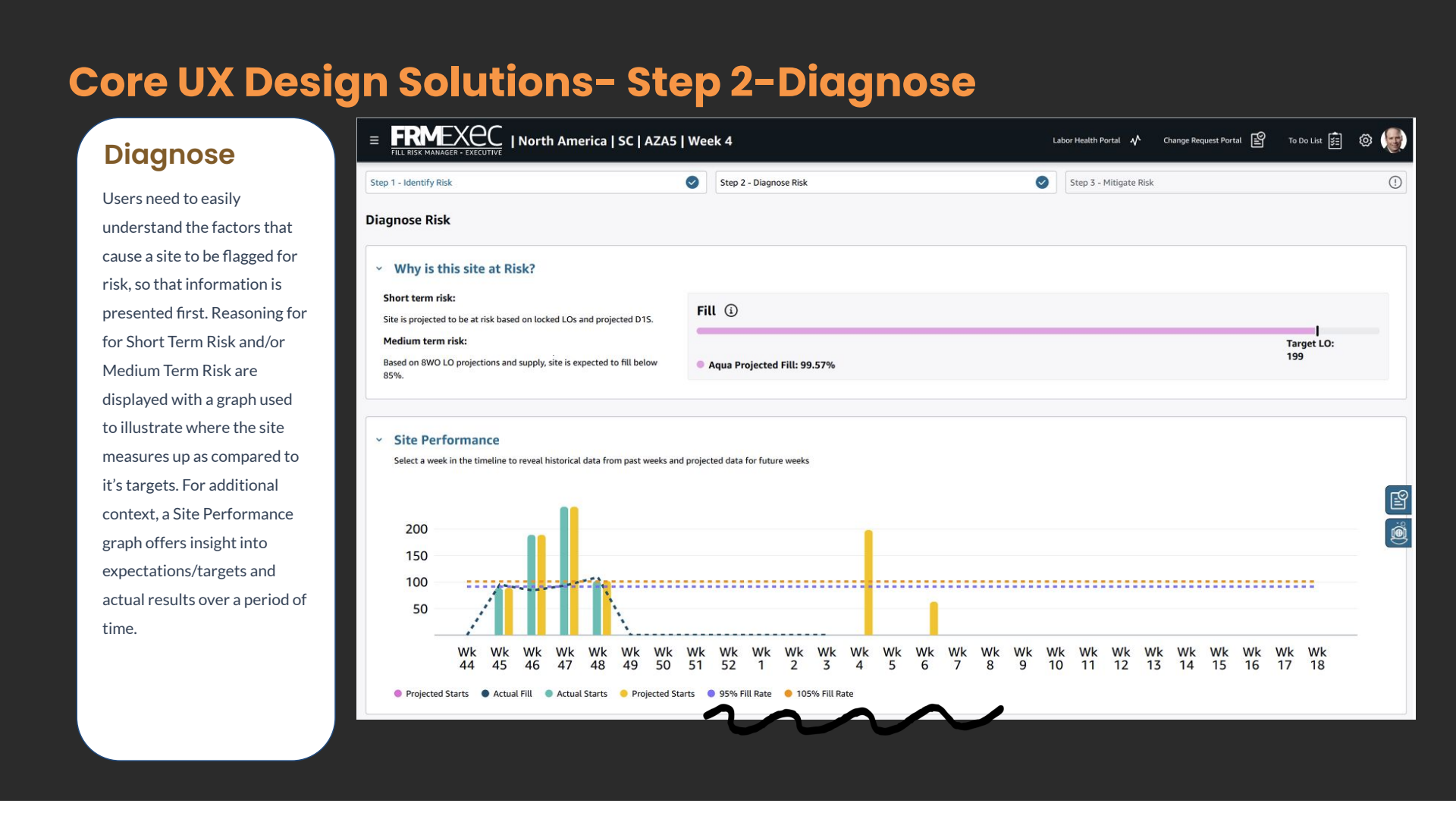
Root Cause Diagnostics & Target Variance Analysis
Deep-dive diagnostic interface isolating key risk drivers with interactive site performance tracking against targets and historical expectations.
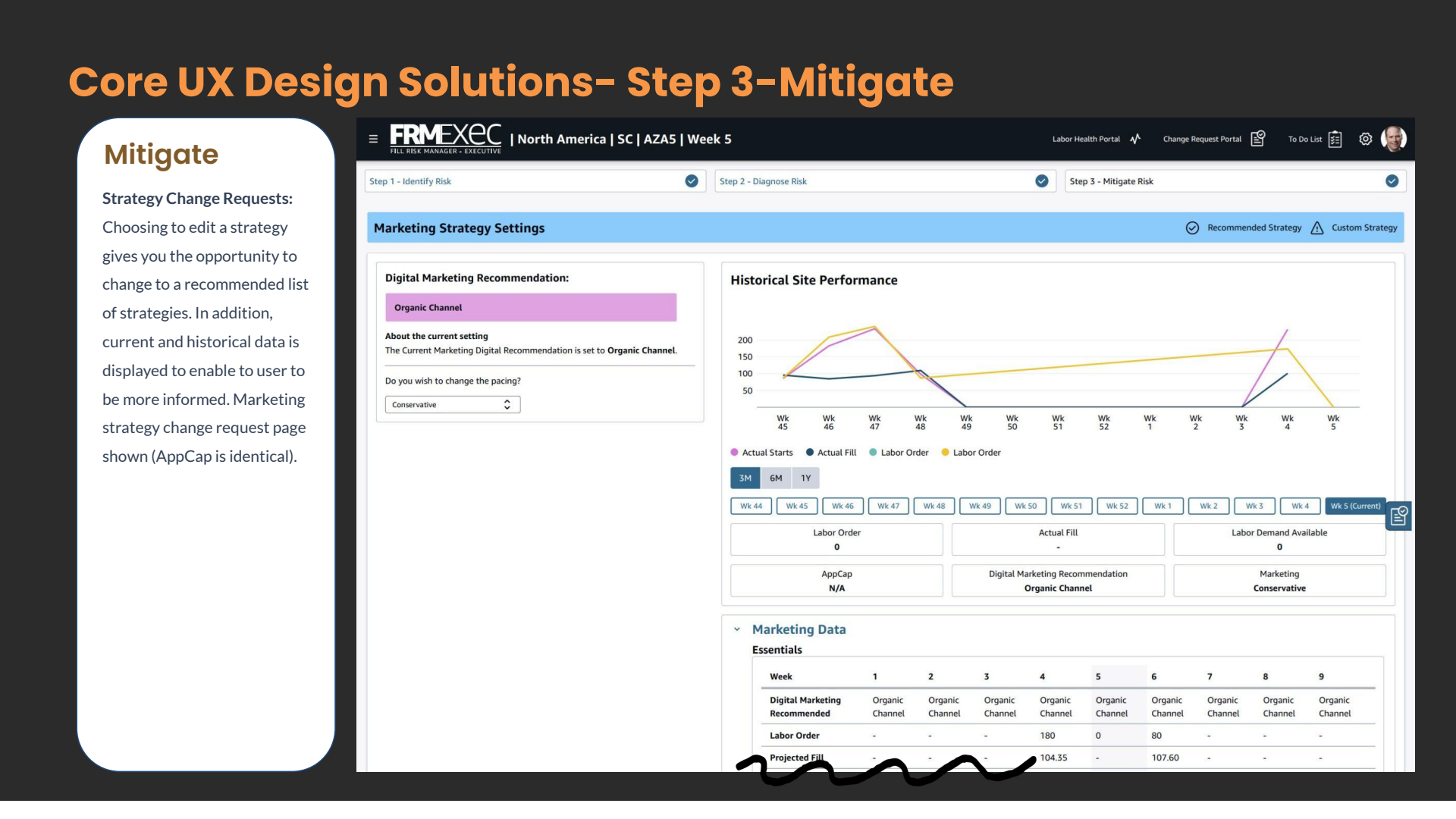
In-App Strategy & Lever Change Requests
Direct action workflow enabling site managers to submit instant mitigation levers and wage/shift change requests without off-platform email friction.
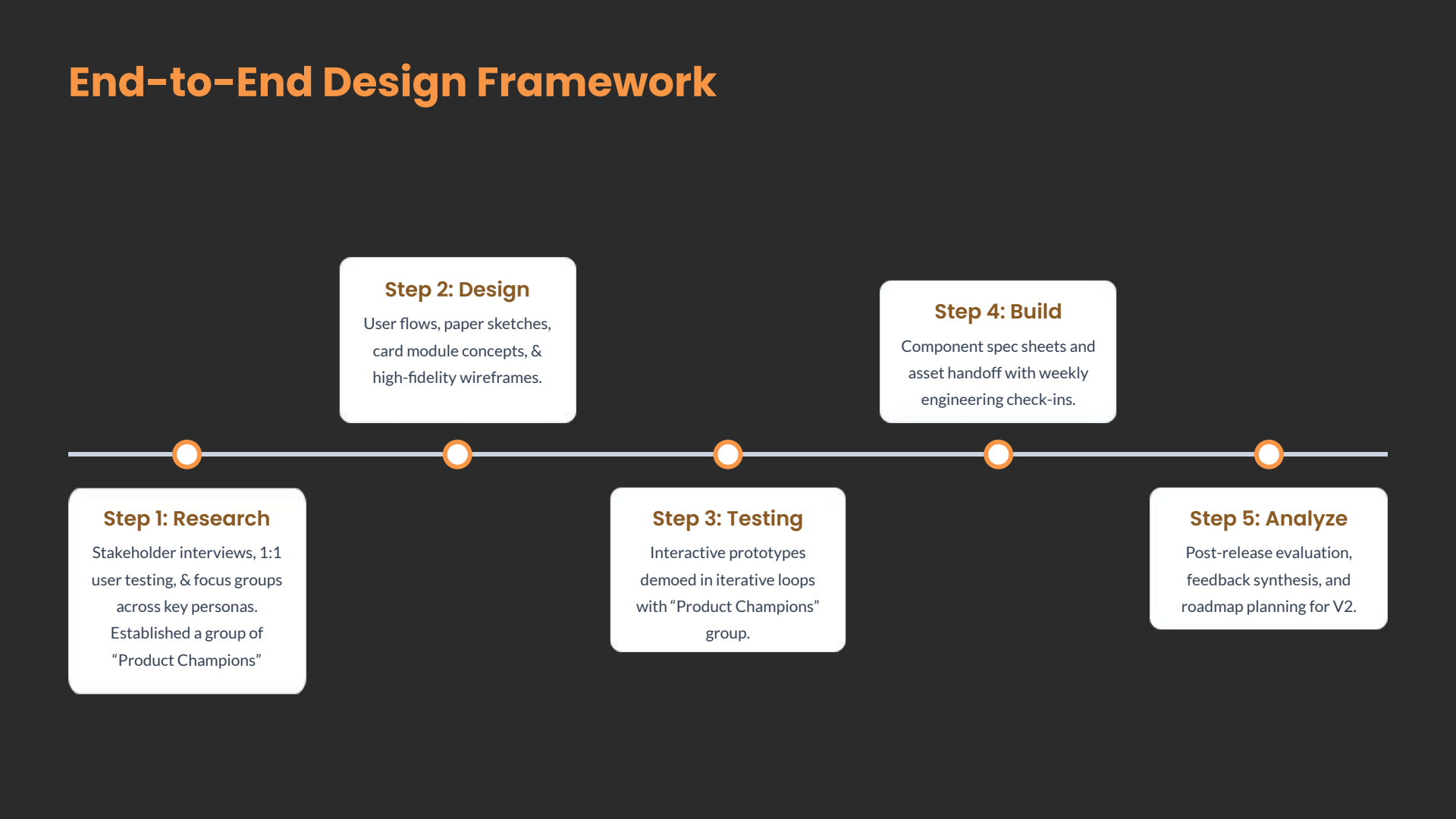
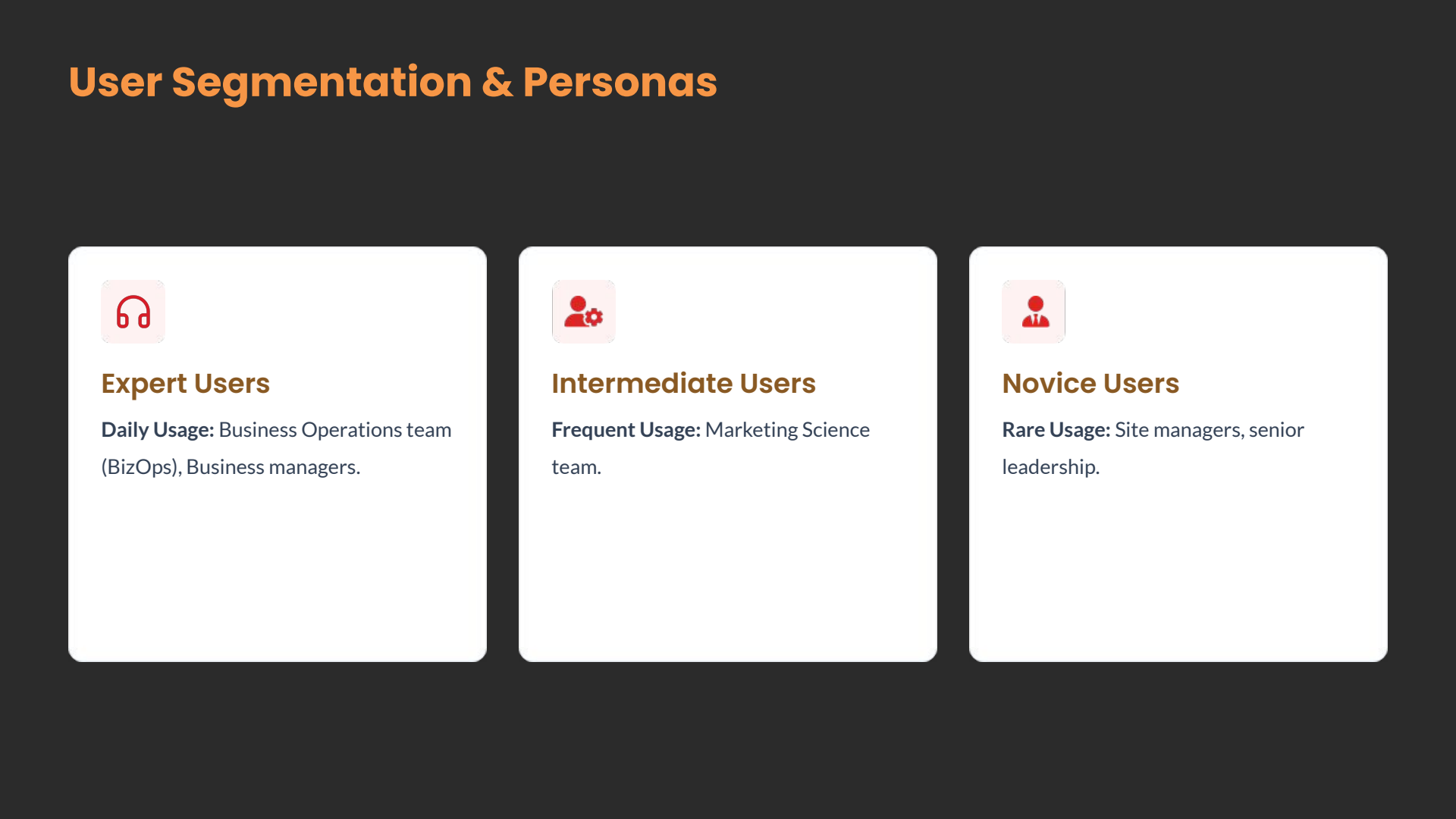
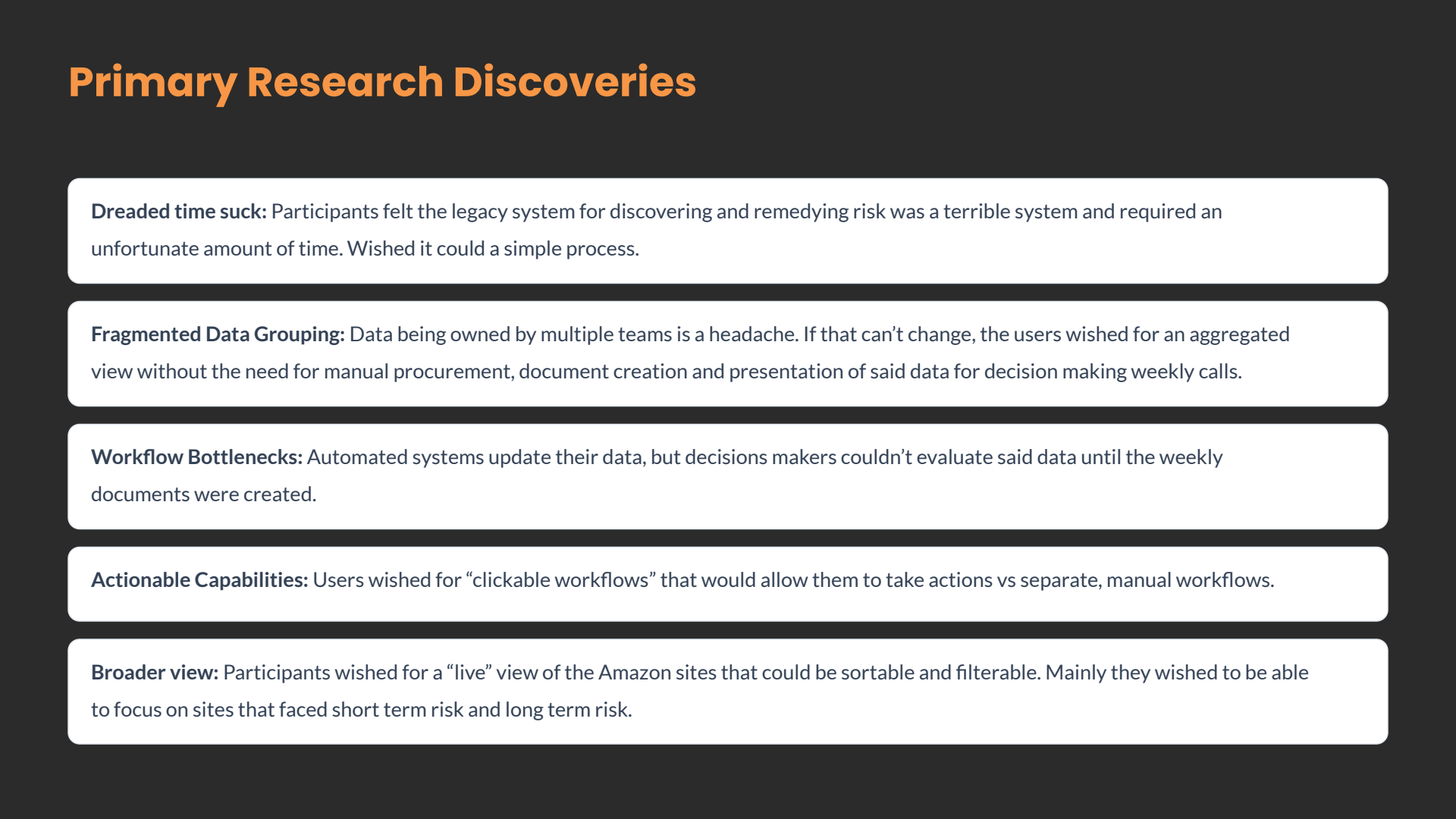
Amazon Beacon — Mechanism Intelligence: EZ Inspection Builder 1.0
Automated physical location staffing risk inspection system, conversational intent triage, drag-and-drop formula logic, and live simulation testing.
Context: Mechanism Intelligence was launched as a new tool within the Beacon application in 2023. An extremely powerful tool heavily used for automation and business intelligence by Workforce Staffing Business Managers and Business Operations Analysts to automate risk analysis of Amazon physical locations (Fulfillment Centers and Sort Centers) to flag any at risk for staffing over- or under-fill. Automated inspections are used by Beacon's AI to make recommendations for mitigation.
Problem Statement: While powerful, the original version of Mechanism Intelligence was designed without UX involvement. It was overly complicated and required a steep learning curve. As such, adoption was low at around 22%.
The Ask: 1) Simplify the inspection build process to improve the user experience and improve adoption. 2) Provide a way for users to briefly explain their needs to see if previous inspection runs could be used instead, saving time.
User Research: Conducted comprehensive user research to determine user sentiment. Interviewed non-users for qualitative thoughts and opinions, and examined quantitative user telemetry data.
UX Design: For the overall workflow, I implemented a multi-step process that broke the workflow into small chunks: created a chat-like experience to help determine if an inspection was needed, introduced an AI-curated previous inspection list, engineered a drag-and-drop approach to formula building, and introduced an interactive simulation step that drastically reduced unnecessary inspection runs and notifications before final inspection deployment.
- Inspection Creations: Increased by +50%
- Previous Inspection Usage: Increased by +76%
- Tool Adoption: Surged from 22% to 73%
Transformed an intimidating legacy engineering utility into an accessible, high-adoption enterprise standard.
Key Walkthrough Highlights & Interaction Architecture

Conversational Need Triage
Chat-like intent matching engine that prompts users on their analytical goals, surfacing existing formulas to prevent duplicate inspections.

Drag-and-Drop Formula Logic
Replaced intimidating raw code inputs with visual condition blocks, operator chips, and live syntax validation to democratize inspection creation.

Pre-Deployment Live Simulation
Interactive simulation testing against historical facility data, eliminating false-alarm alerts and driving tool adoption from 22% to 73%.



Interactive Work Samples (13)
Click on any sample to examine full-resolution UI layouts and workflows

Amazon PXT- Recruiting Agent Ai Hub (RAIH)
Enterprise recruitment intelligence and agent orchestration dashboard.

Amazon PXT- Amazon PXT- Recruiting Agent Ai Hub (RAIH)
Candidate pipeline analytics and AI-powered recommendation modules.
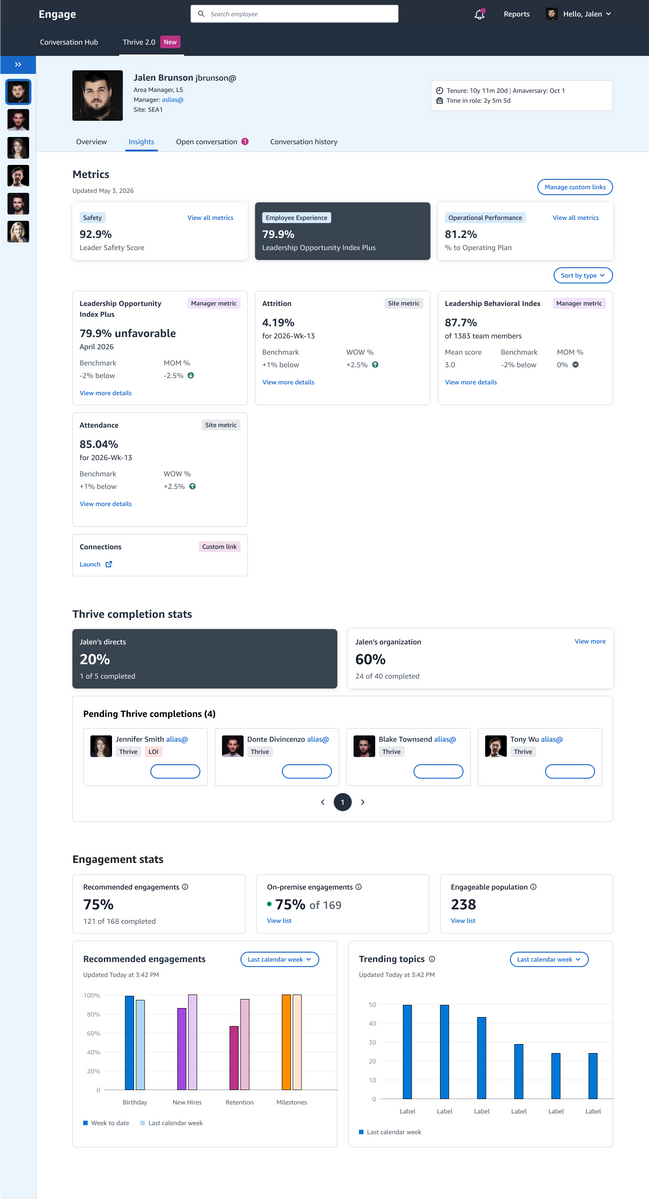
Amazon- Engage- Thrive 2.0- Insights Overview
Leadership operational insights dashboard correlating employee sentiment with site throughput metrics.
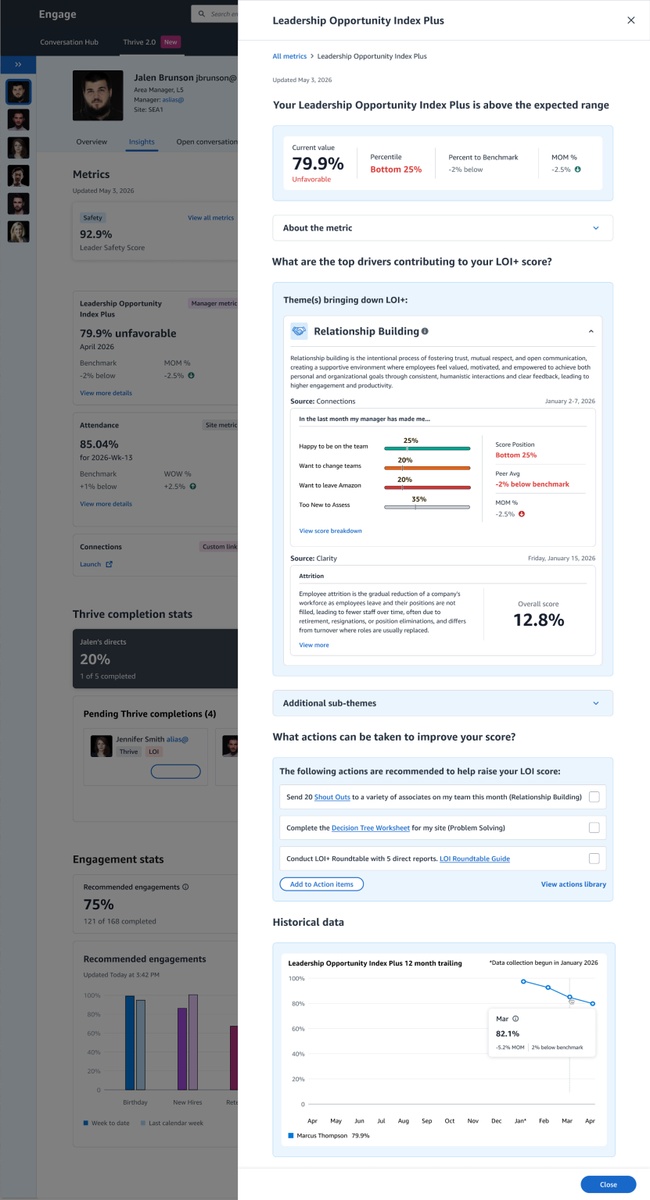
Amazon- Engage- Thrive 2.0- Insights Overview
Detailed metric breakdown overlay for site-level engagement surveys.

SayHi- Presenter Mode
In Amazon Fulfillment Centers (FCs), SayHi Translate is a key internal translation utility. I designed Presenter Mode to configure live spoken translations during associate standup meetings.
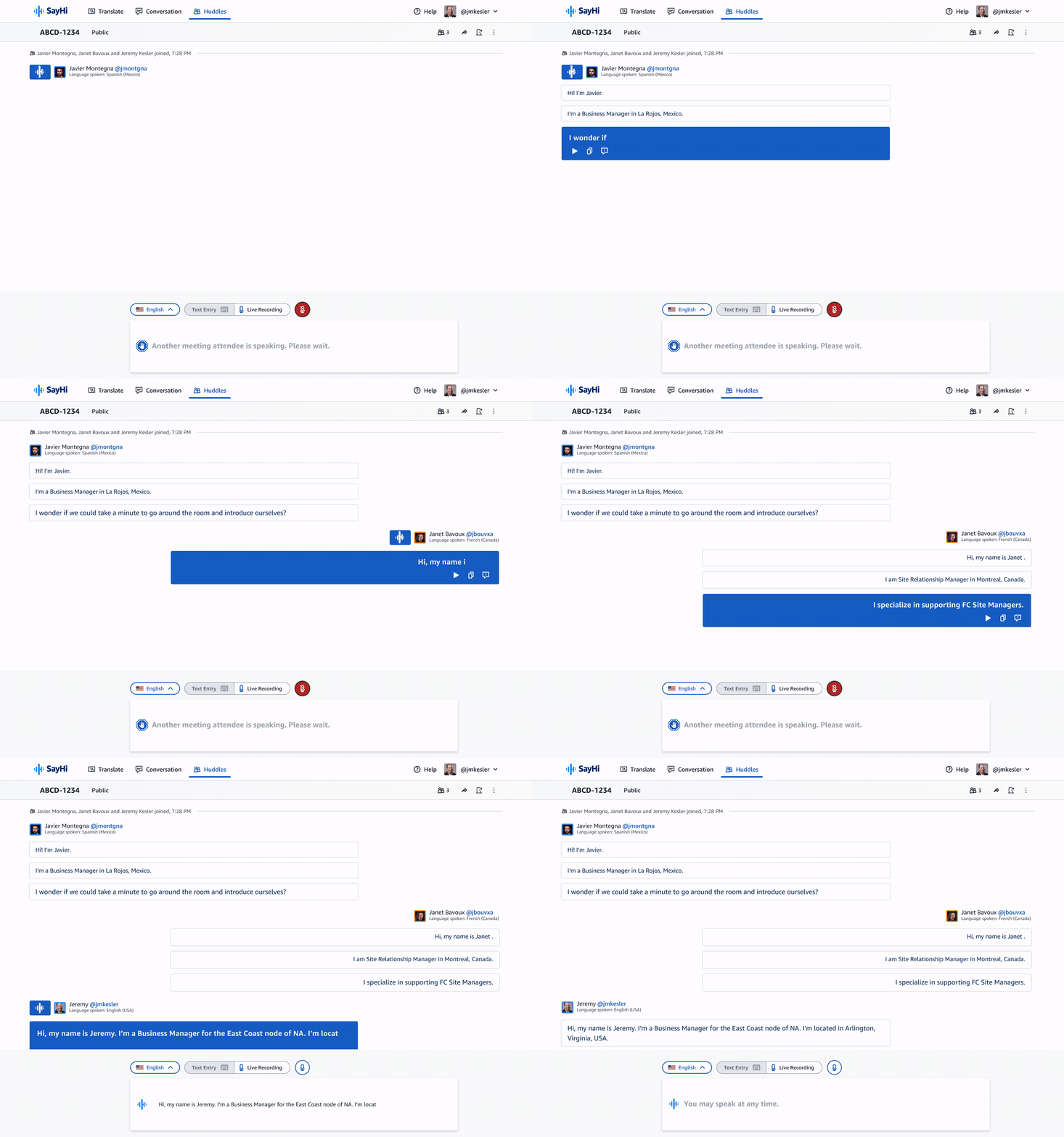
SayHi- Huddle 2.0
SayHi's Huddle tool allows Amazon ops and corporate employees of all languages to have live, virtual discussions, despite language barriers. This animation illustrates how multiple users can speak and have their words translated in real time on all attendant's screens in their own preferred languages.
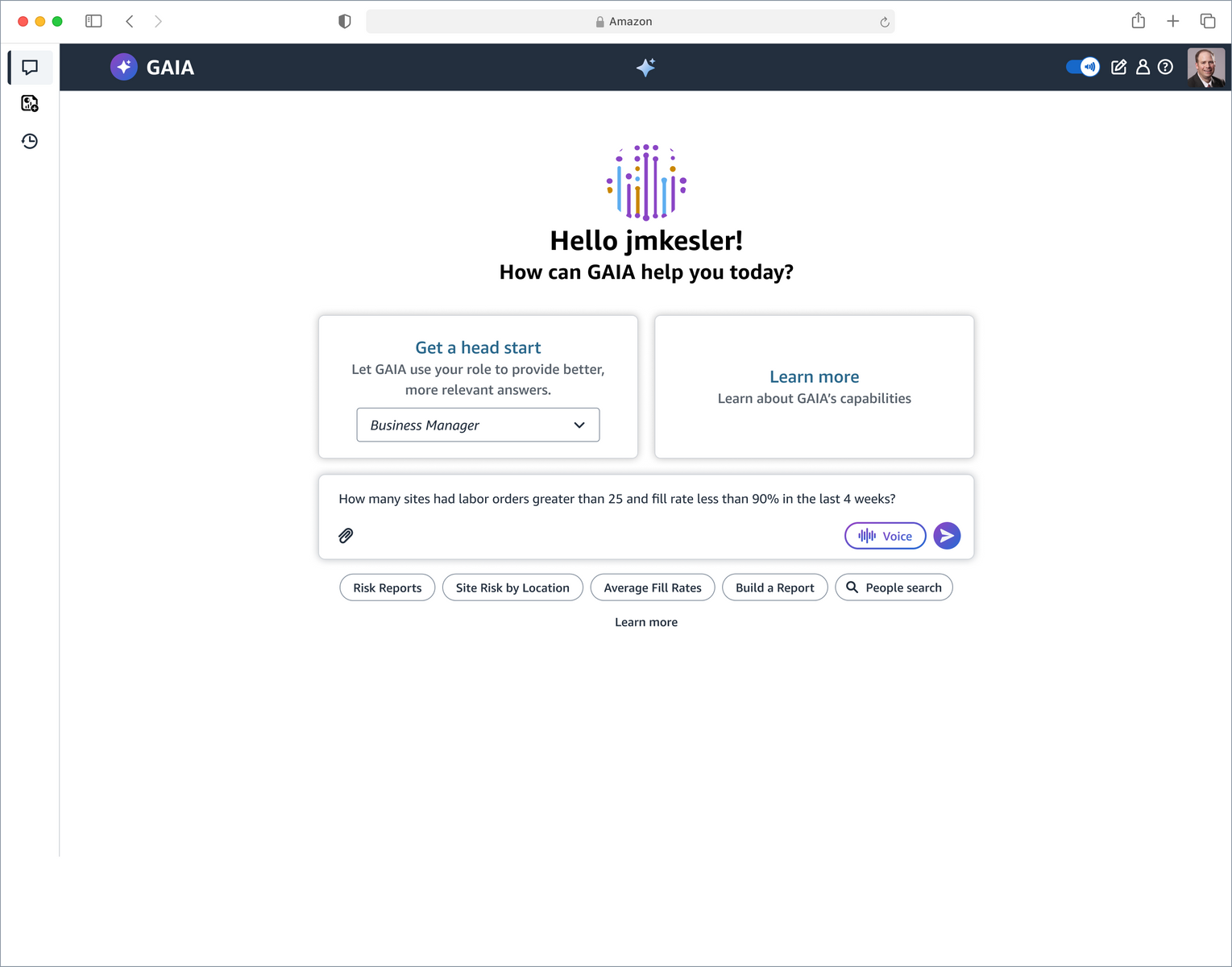
Amazon- GAIA (Generative AI Assistant)
GAIA is a PXT-specific generative AI assistant trained in site risk analysis. It surfaces instant mitigation levers and generates conversational risk briefings.
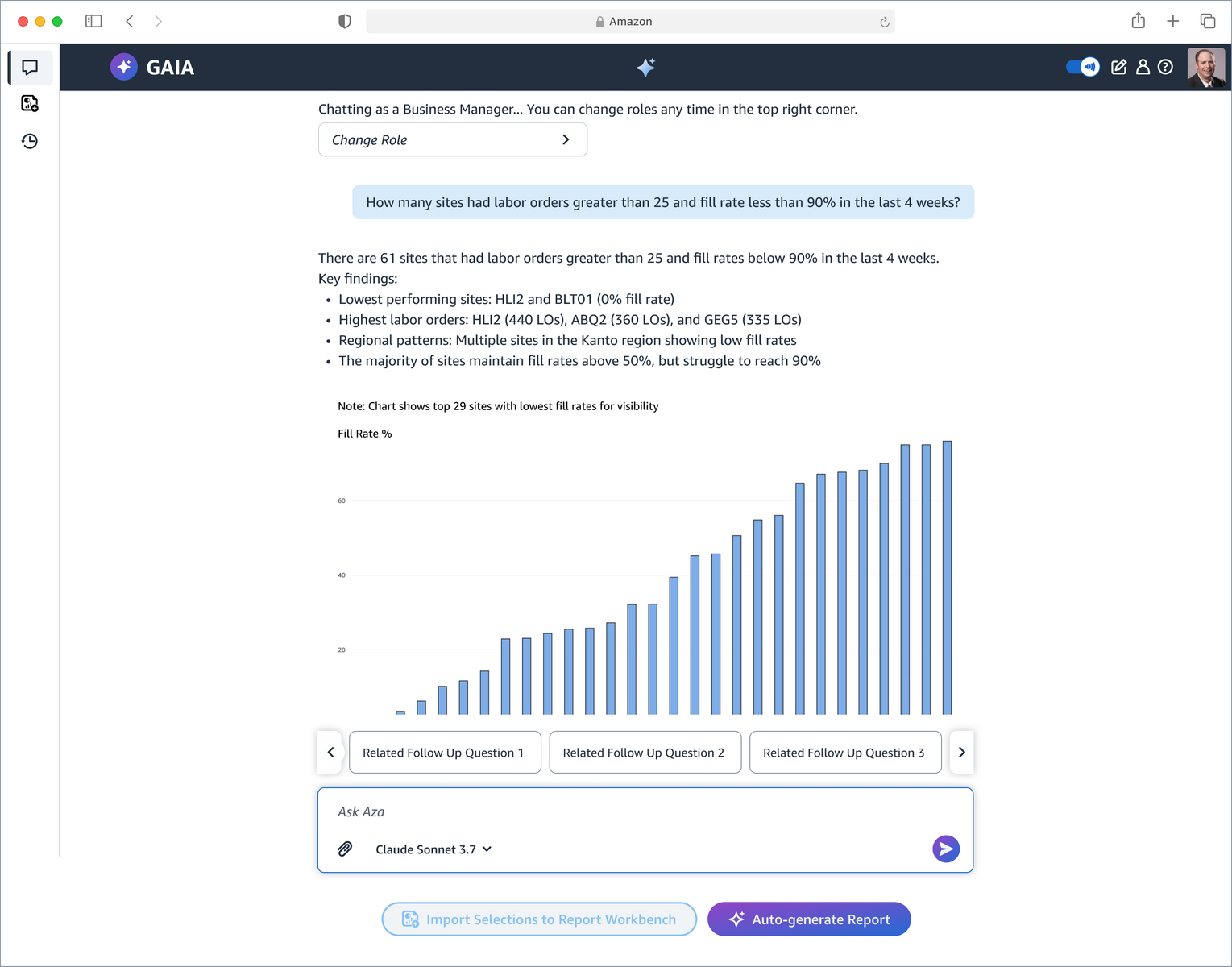
Amazon- GAIA (Generative AI Assistant)
GAIA conversational interface showing prompt suggestions, staffing predictions, and automated mitigation workflows.
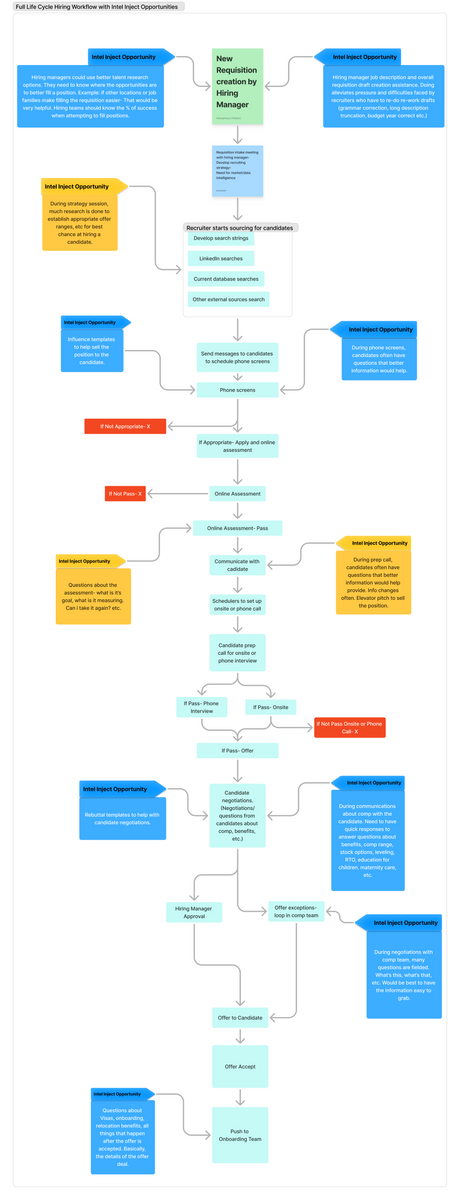
Amazon Recruiting and Hiring- Full Lifecycle
End-to-end user workflow mapping covering talent acquisition from application intake to Day 1 onboarding.
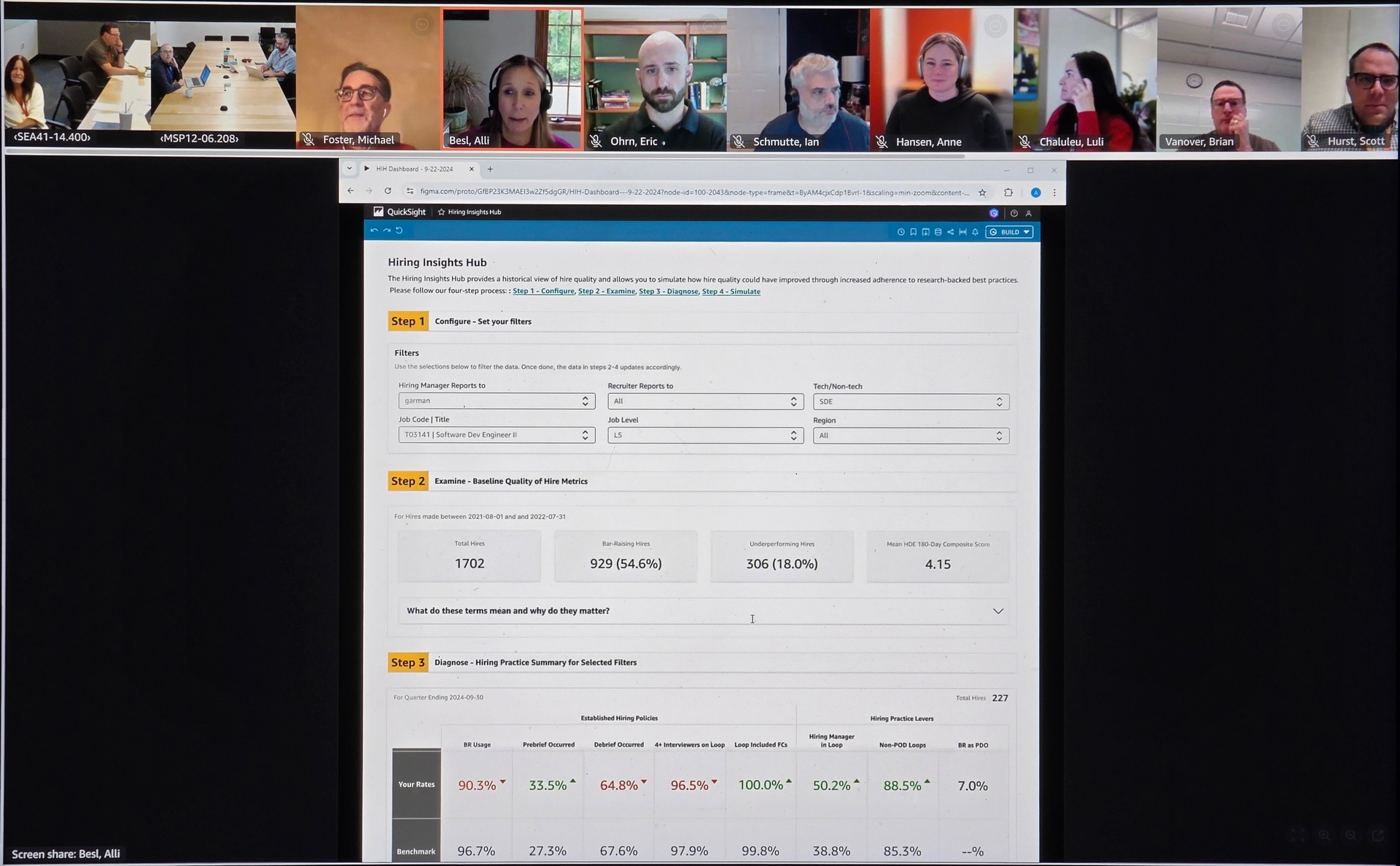
Hiring Insights Hub- PRFAQ Presentation
Executive PRFAQ presentation deck defining strategic product vision for centralized talent acquisition intelligence.
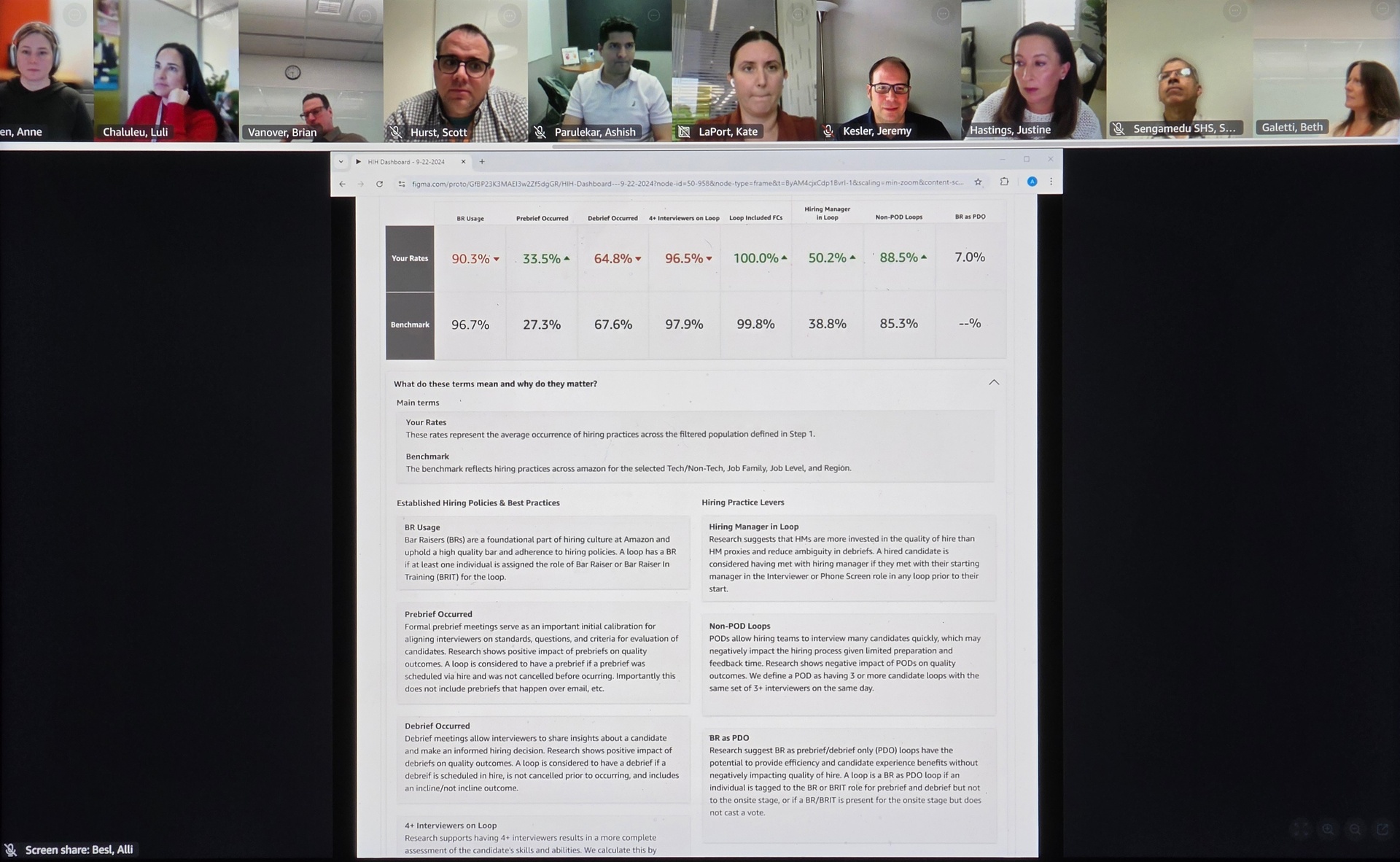
Hiring Insights Hub- PRFAQ Presentation
User personas, operational pain points, and product principles from the Hiring Insights Hub PRFAQ.
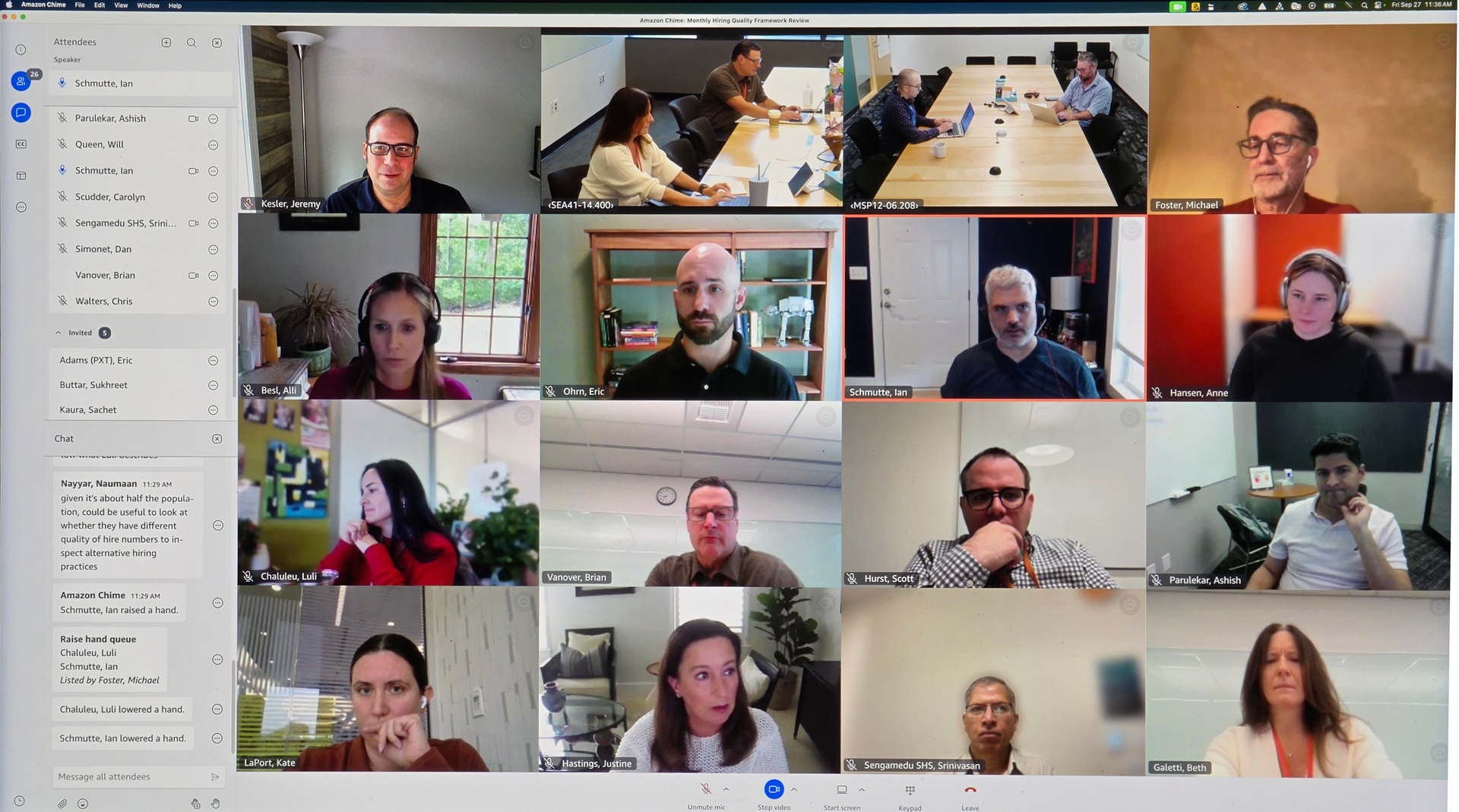
Hiring Insights Hub- PRFAQ Presentation
High-level architectural workflow showing data ingestion from legacy HR tools into unified recruiter workspaces.
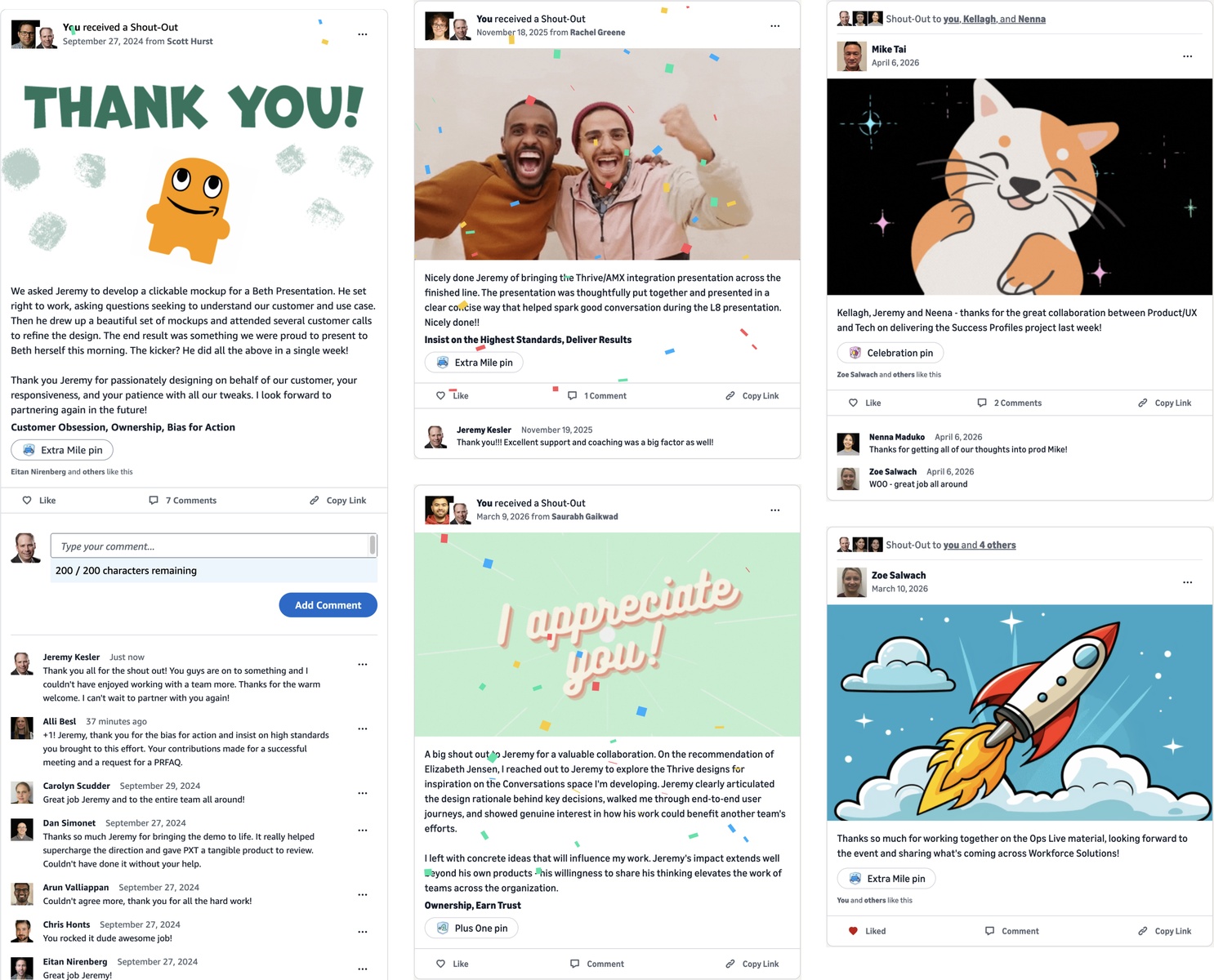
Shout-outs
Peer recognition and positive reinforcement module within Amazon employee engagement experiences.